Web Visitors
Role
Product Designer
Duration
June - July 2025
Company
Buzz is a B2B SaaS platform for sales outreach automation. It helps businesses run campaigns across LinkedIn, email, and calls to reach potential customers at scale.
Problems
- Sales managers and business owners had no way to identify who was visiting their website
- Competitors already offered this capability, putting Buzz at a disadvantage
- Buzz users were missing a high-intent audience
My Role
I was the sole designer on this project, leading the entire process from research to handoff. I conducted competitor research, formed hypotheses, and worked closely with the PM and leadership to align on scope and requirements. I also collaborated with developers to discuss implementation options.
Hypothesis
If Buzz users could identify who visits their website and add them directly to outreach campaigns, they would be able to engage a high-intent audience and convert more prospects into customers.
Competitor research
To understand how to build Web Visitors, I analyzed direct competitors. All of them tied the tracking script to a specific domain, which limited flexibility for users who manage multiple websites.
So in Buzz a single script works on any number of domains. Users with several websites set it up once instead of creating a tracker for each domain.
User Flows
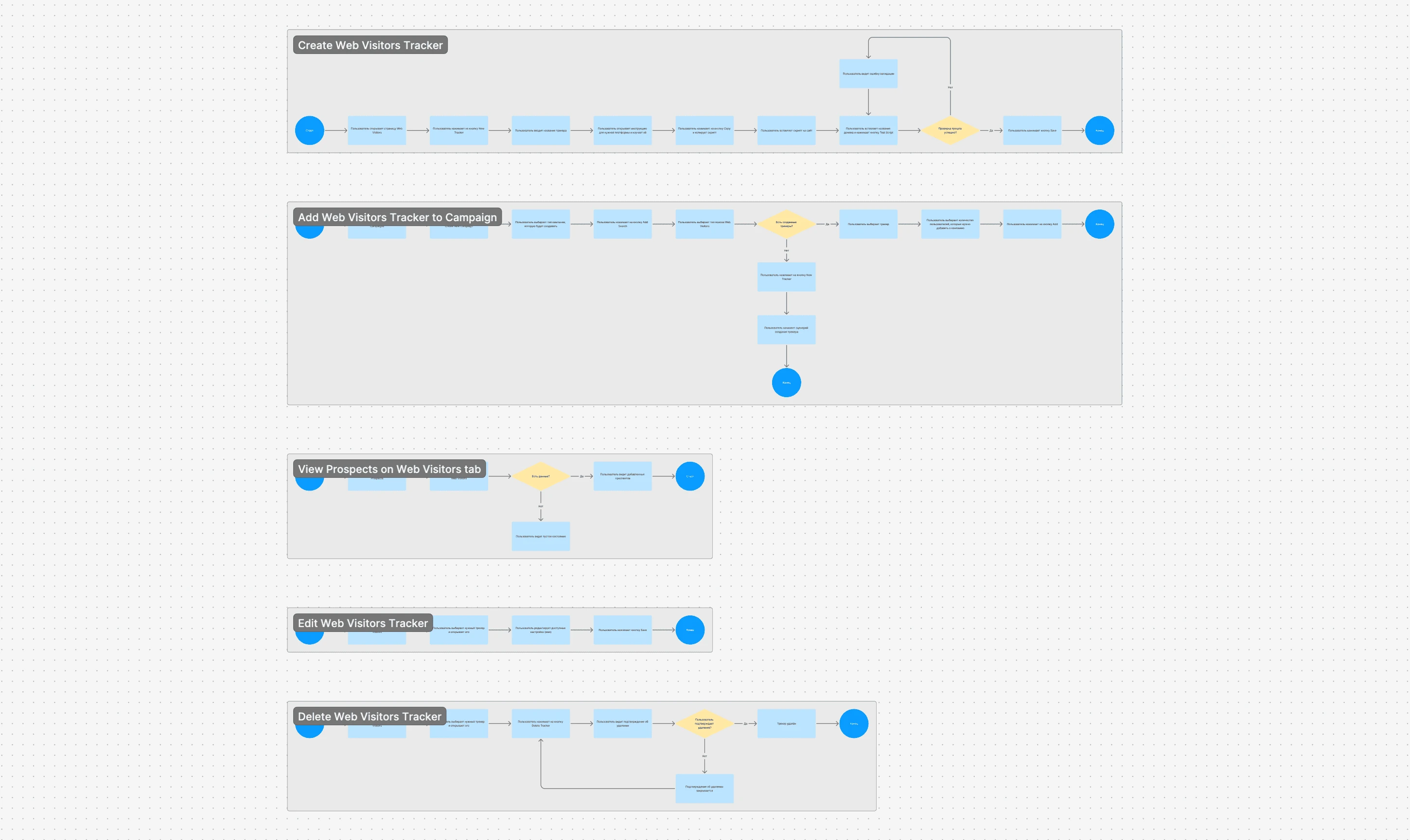
Before starting the design, I created several user flows to plan each scenario step by step and make sure nothing was missed.
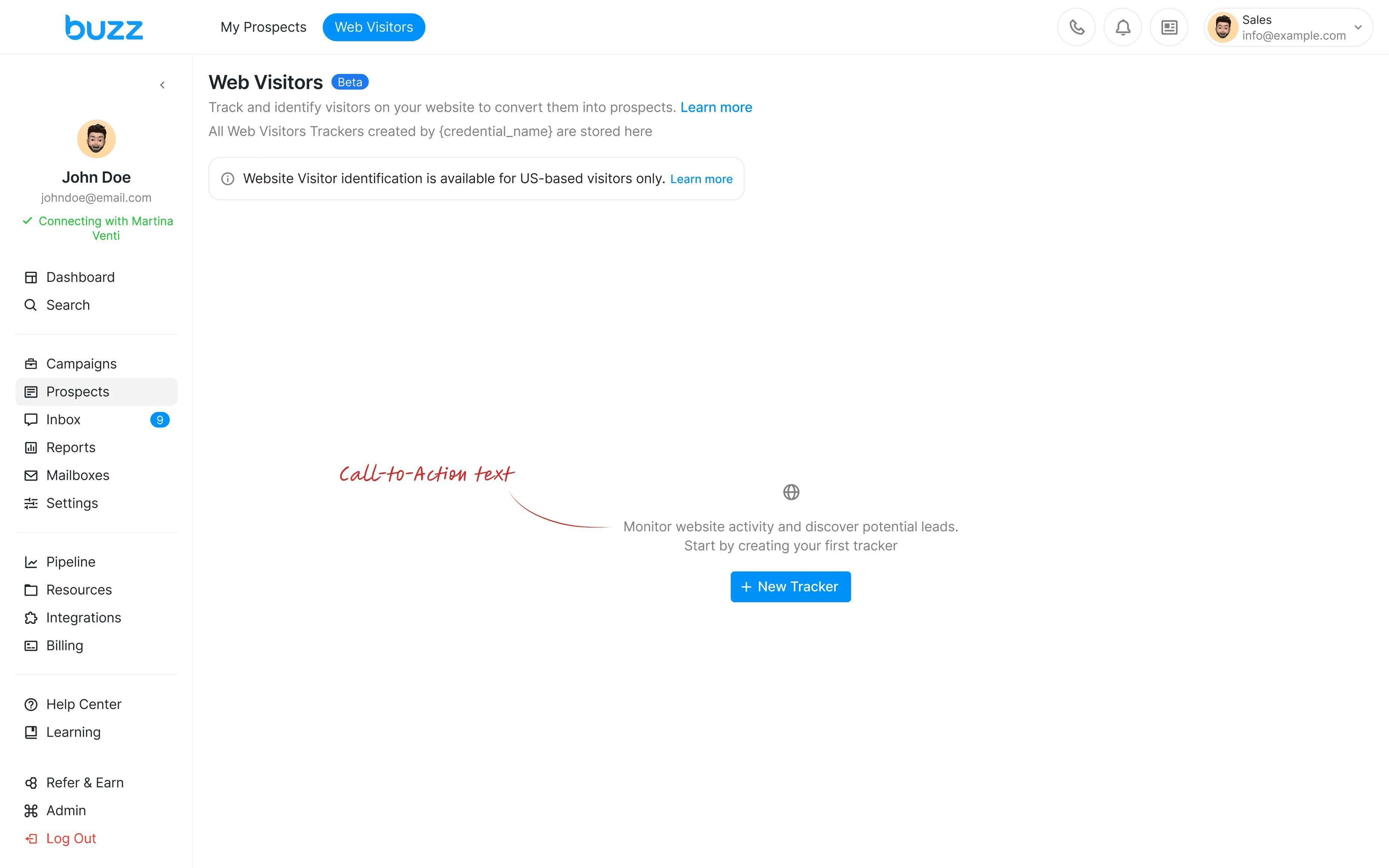
Empty State
The empty state prompts the user to create their first tracker.
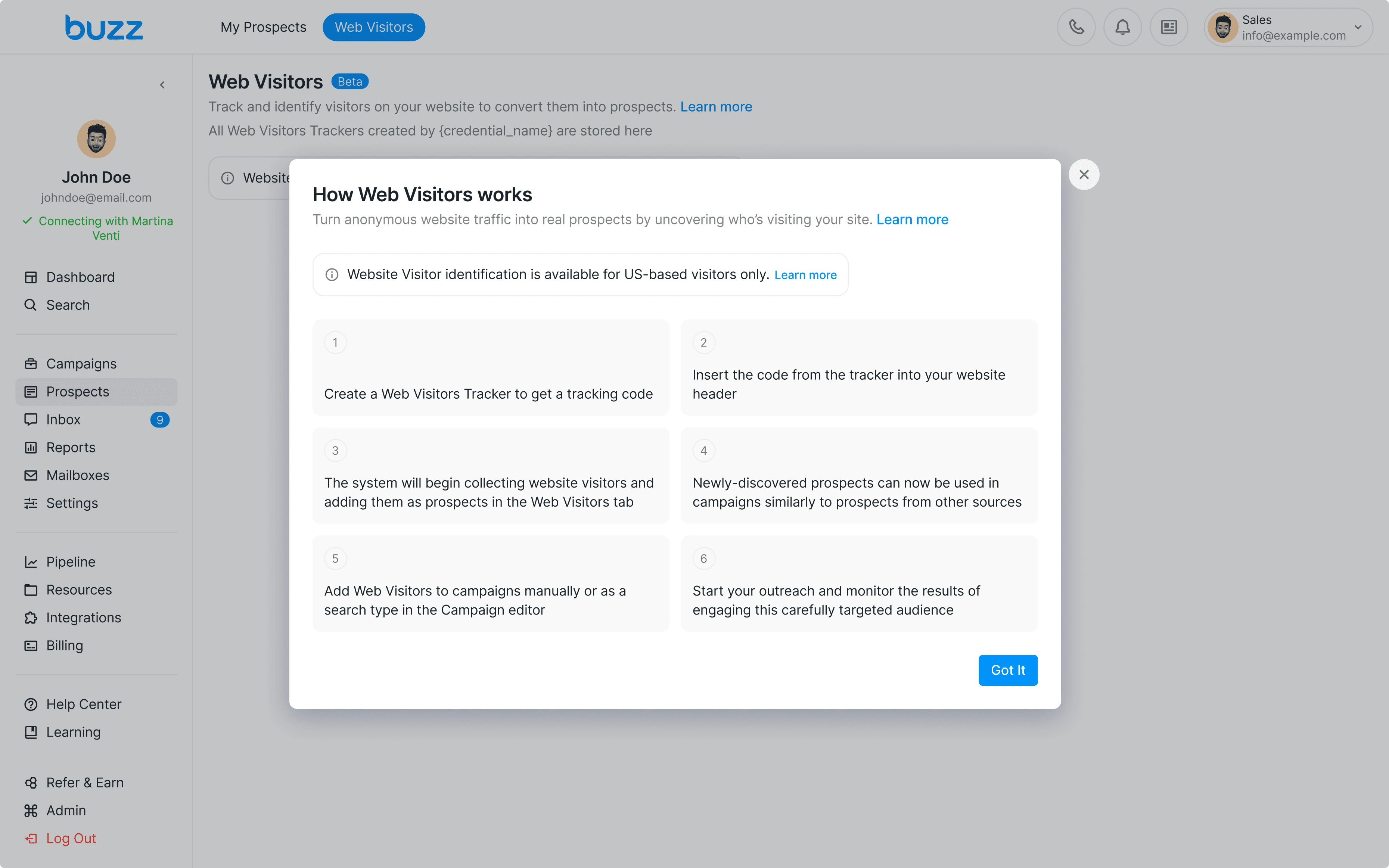
Onboarding
An onboarding modal walks the user through the Web Visitors flow step by step.
Create tracker
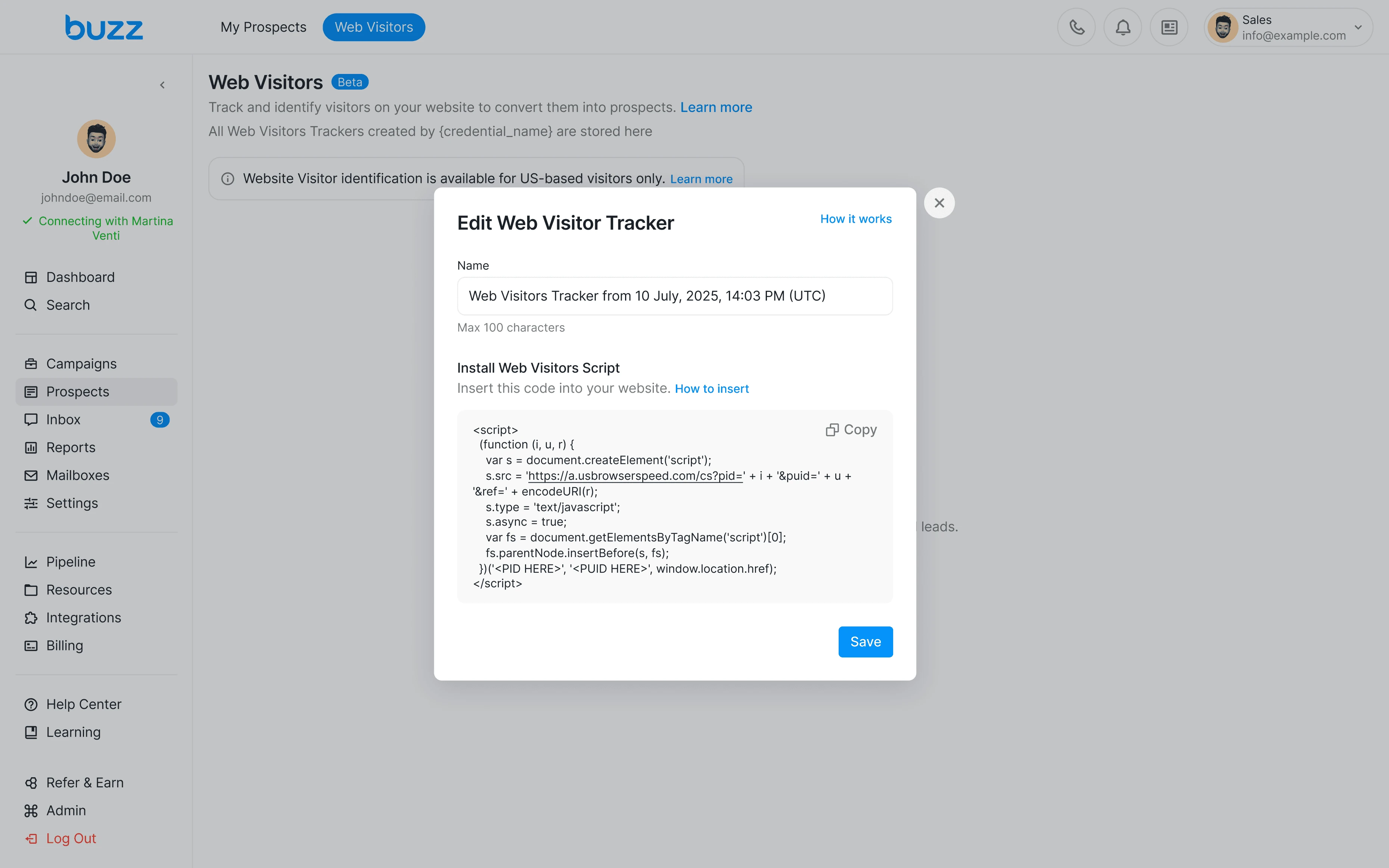
The tracker setup modal lets the user name the tracker and copy the script to install on their website.
Instruction for installing script
Step-by-step instructions help users install the script without technical knowledge. Each platform has its own guide.
Trackers page
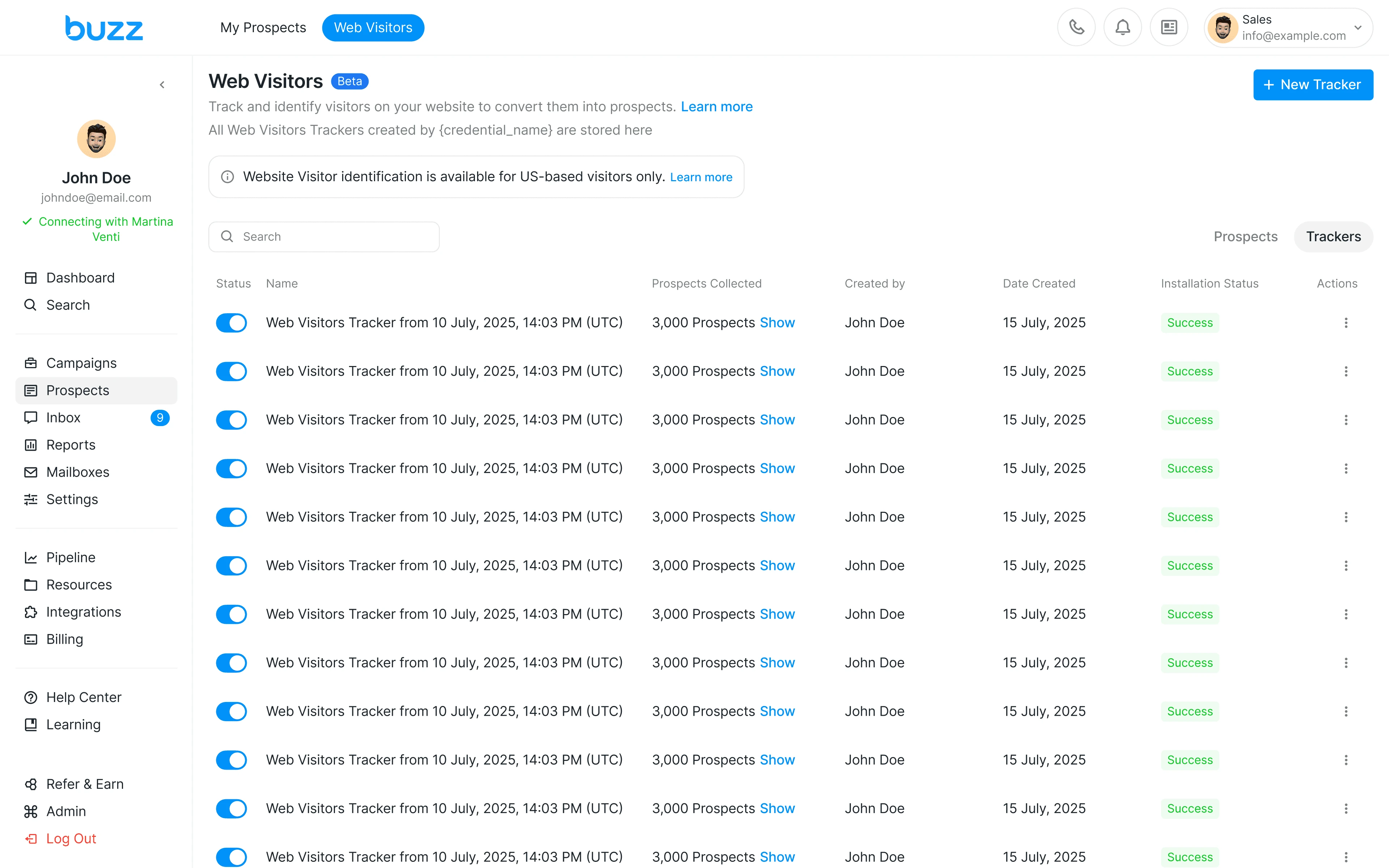
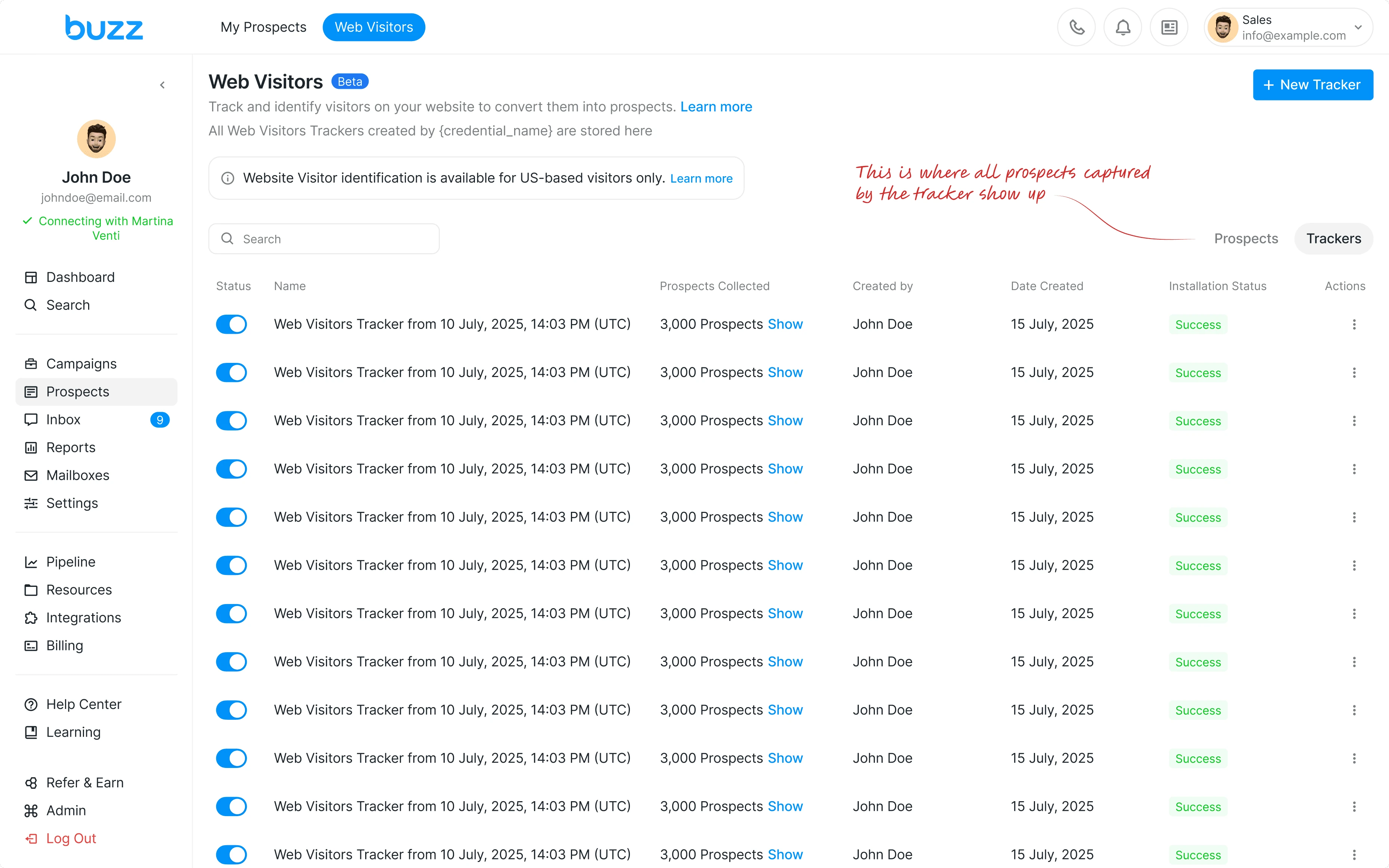
The Trackers page shows all created trackers in one place. Each tracker displays its status, number of collected prospects, and installation status, so the user always knows what is working and what needs attention.
Prospects page
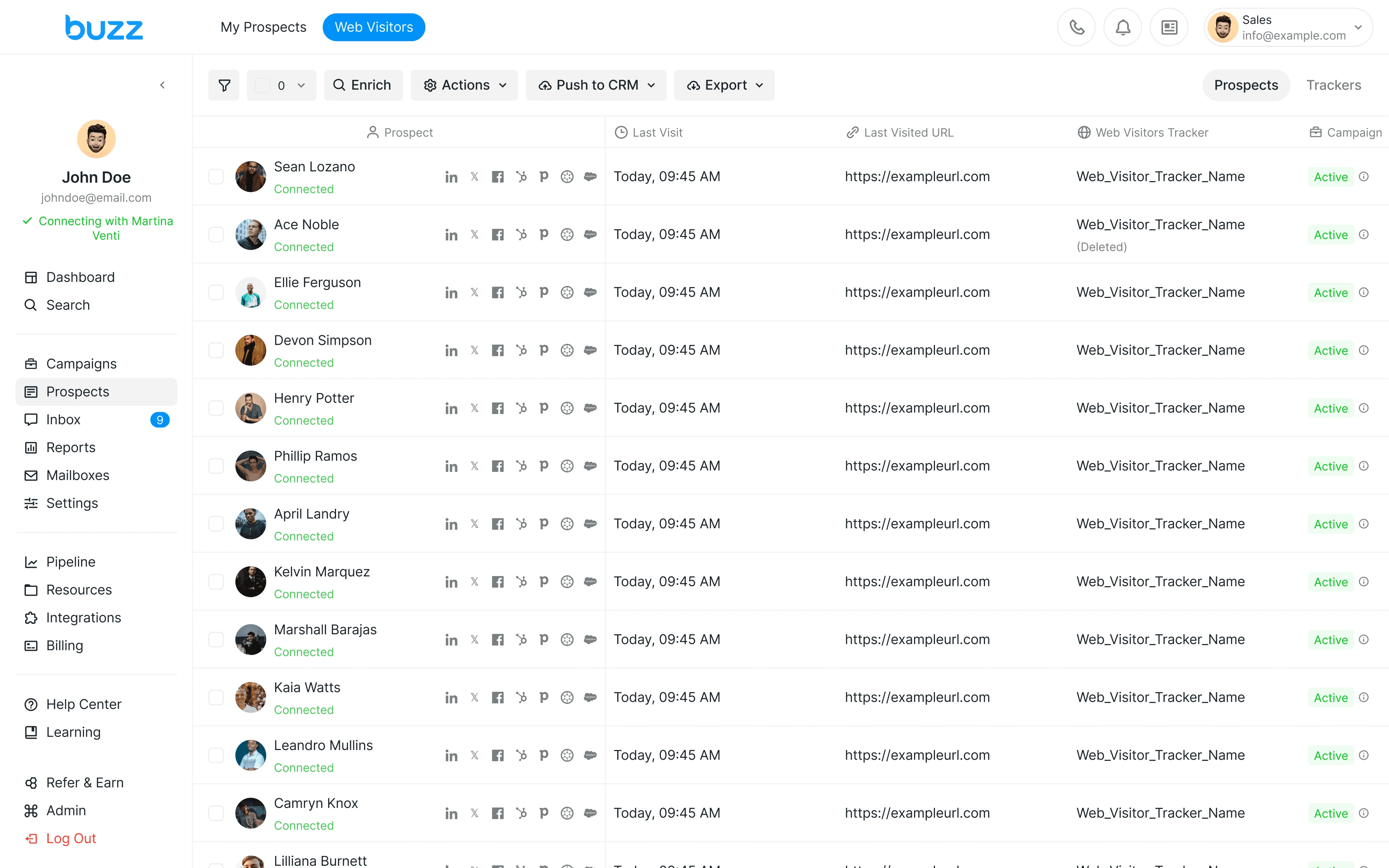
The Prospects tab shows everyone who visited the tracked website. Users can see when each person last visited and which URL they came from, then add them to a campaign straight away.
Add prospects from tracker to campaign
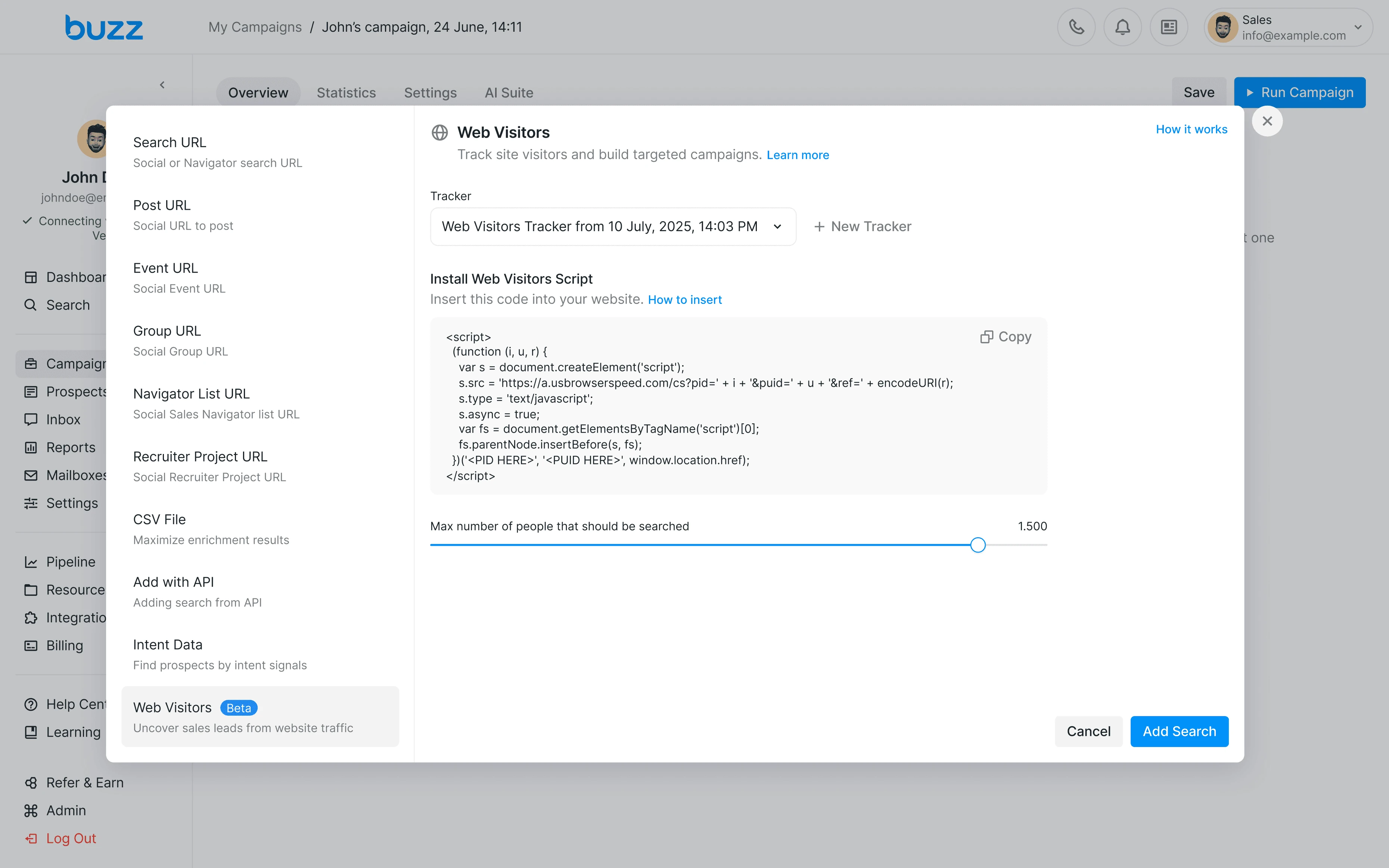
Web Visitors is available as a source type directly in the campaign editor. The user selects a tracker and prospects captured from the website are automatically added to the outreach campaign.
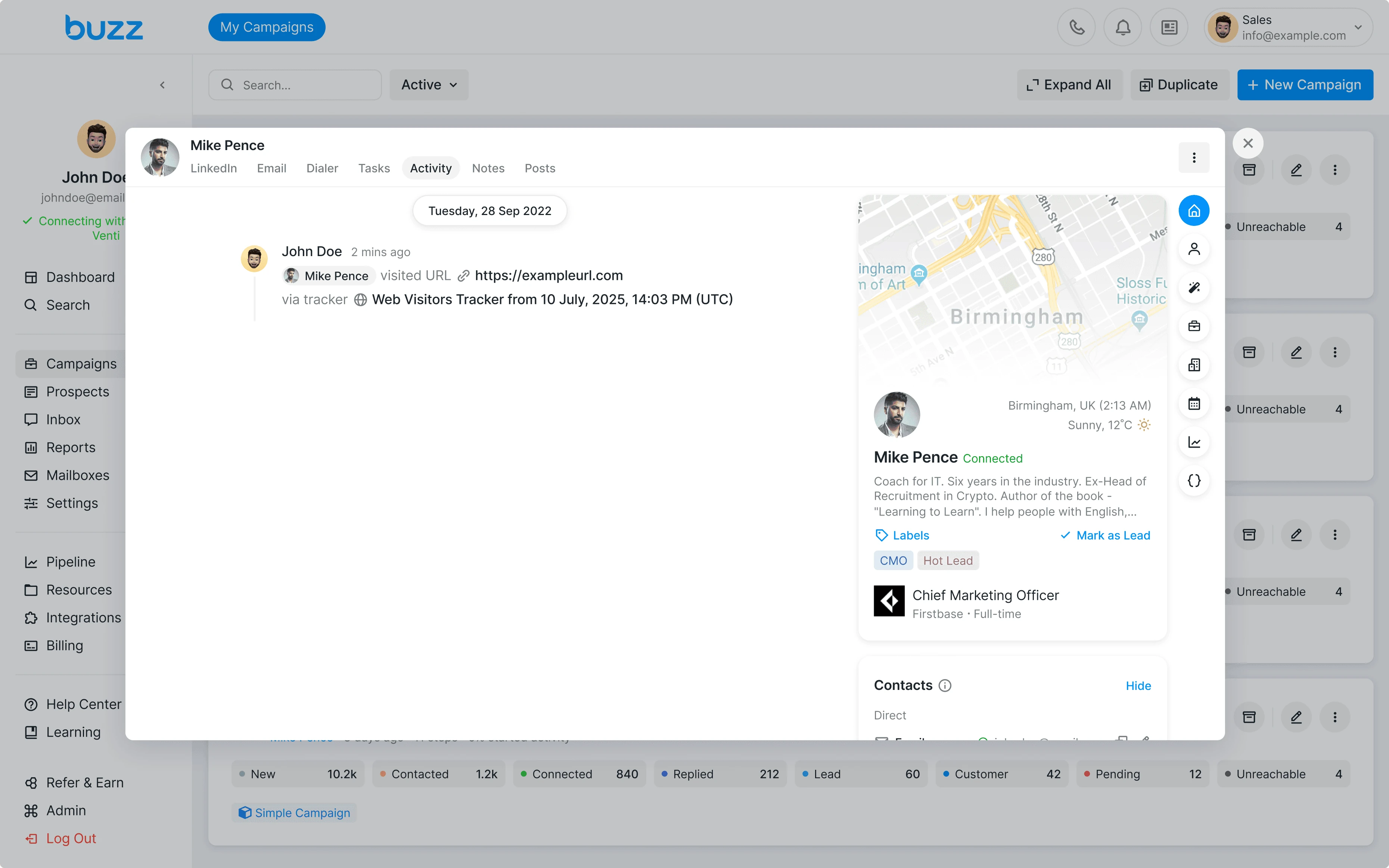
Prospect activity
When a prospect visits the website, their activity is logged automatically in their profile. The user can see which URL was visited and through which tracker.
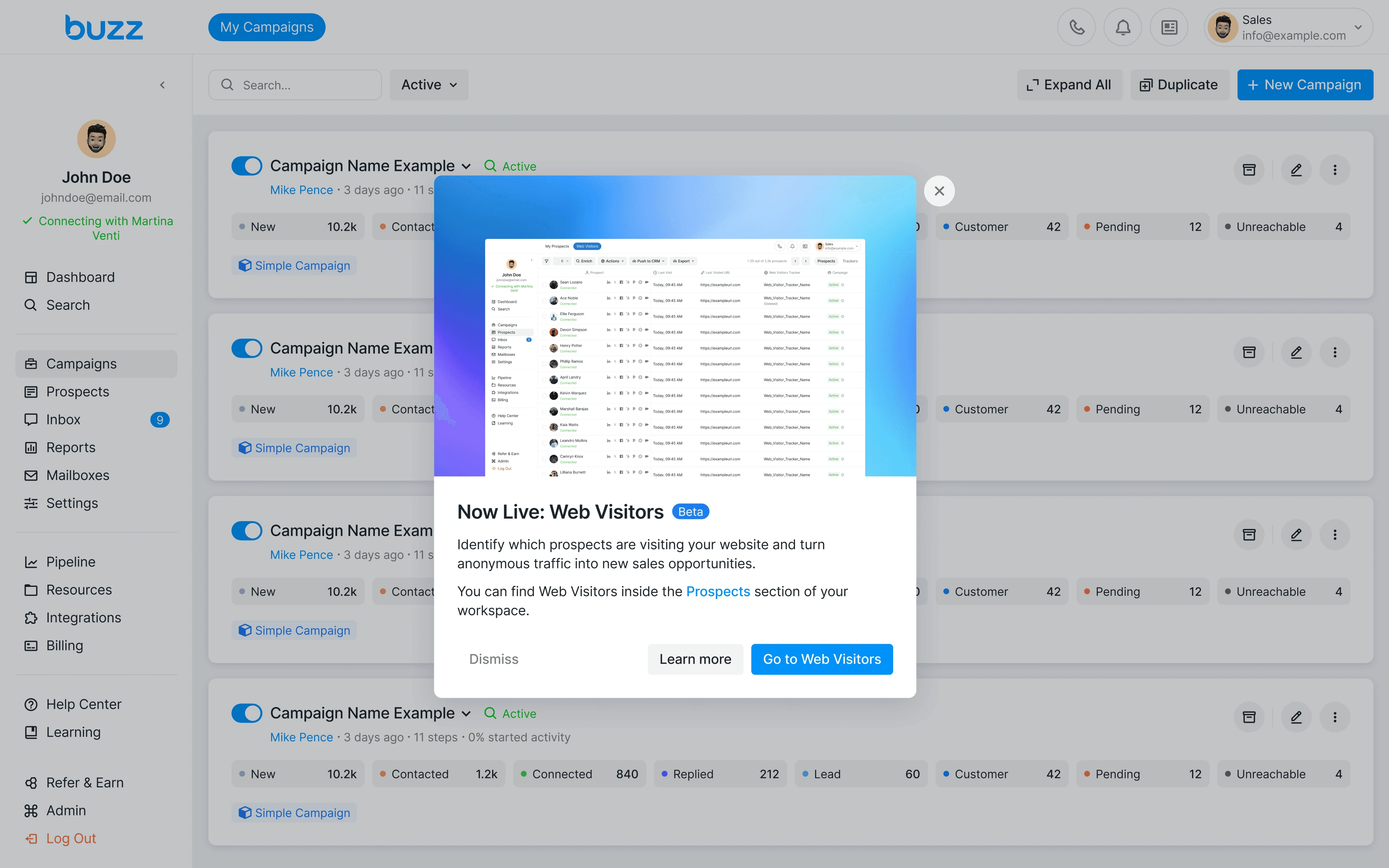
In-app announcement
After the launch, existing users saw an announcement about Web Visitors inside the platform.
Results
Web Visitors shipped and is actively used in production. The feature received positive feedback from customers who can now identify website visitors and add them to outreach campaigns directly inside Buzz.
Metrics I Would Track
We had no analytics system at the time of release, so I could not measure results directly. Here are the metrics I would track:
Adoption
The percentage of users who created at least one tracker. This would show whether the feature was discoverable and valuable enough to try.
Activation
The percentage of users who successfully installed the script after creating a tracker. A drop-off here would signal friction in the setup process.
Engagement
The number of users who added Web Visitors prospects to a campaign. This is the main signal. Users only get value when prospects go into a campaign.
Retention
Whether users who adopted Web Visitors churned less than those who didn't. This would help understand the feature's impact on customer retention.