Reports Redesign
A rebuilt reports page for campaign performance
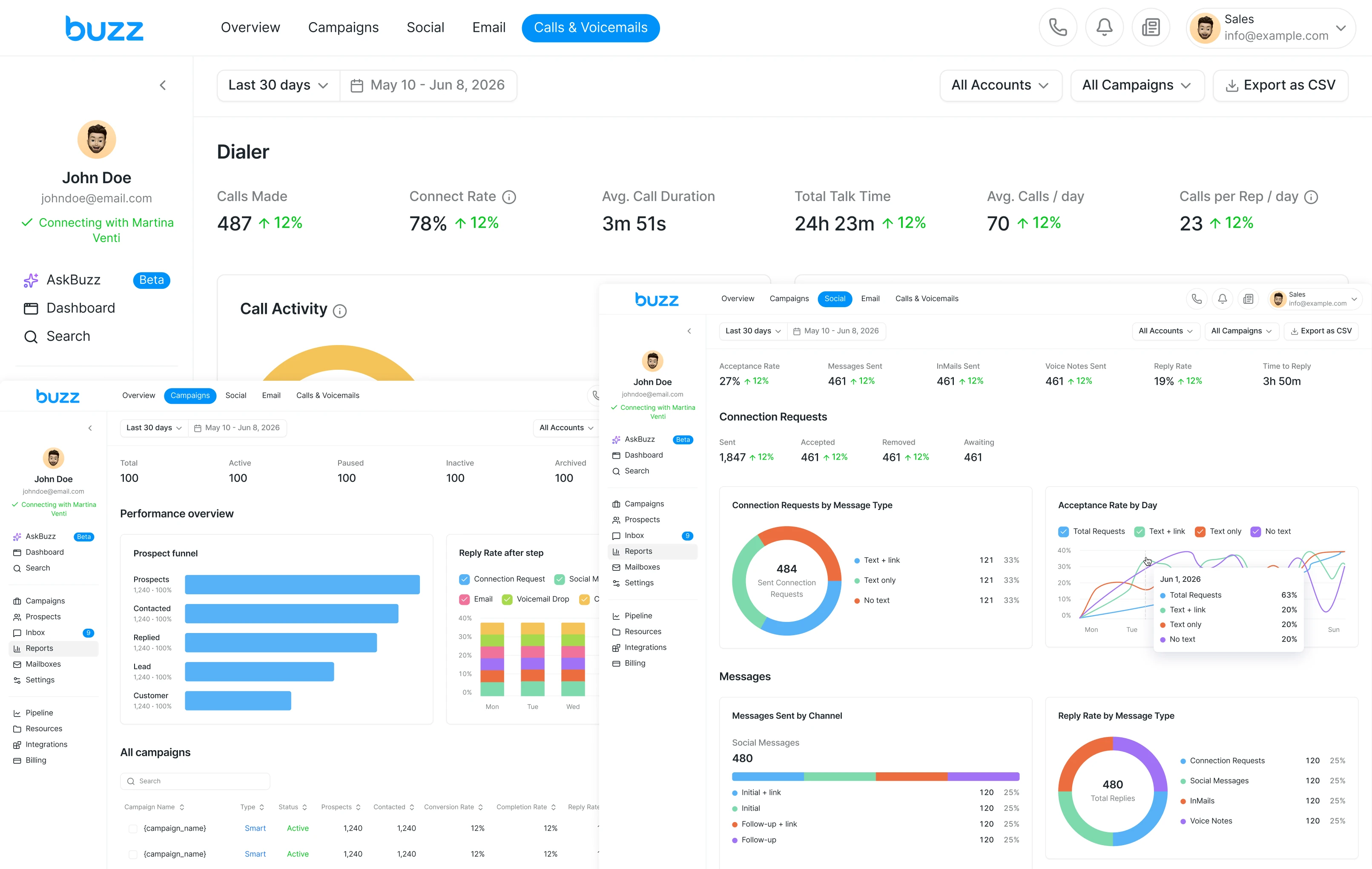
Buzz is one of the leaders in multichannel outreach and business process automation. It helps B2B companies automate finding new clients and staying in touch with them. I led the redesign of these pages to give users more detailed data on campaign performance and customer communication.
Situation
Users had no data on the new features we released, so they didn't understand how effective their campaigns were. The reports page was also quite outdated, which made the current design hard to scale.
Project Kick-off
To build the reports pages, we put together a team: a Head of Product, me as Product Designer, and backend, frontend, and QA engineers. In the first few days, we held kickoff meetings to align on how we'd work on the project. Our goal was to launch the first version of reports in production within 4 months.
Together with the team, we met with key stakeholders, including the CEO, CRO, and Head of Product, to discuss business goals and user needs.
Business & User Goals
We formulated hypotheses that connected to business goals and user needs.
Success Criteria
To measure how successful the new pages were, we agreed to track success through in-app surveys.
Discovery
Business & User Goals
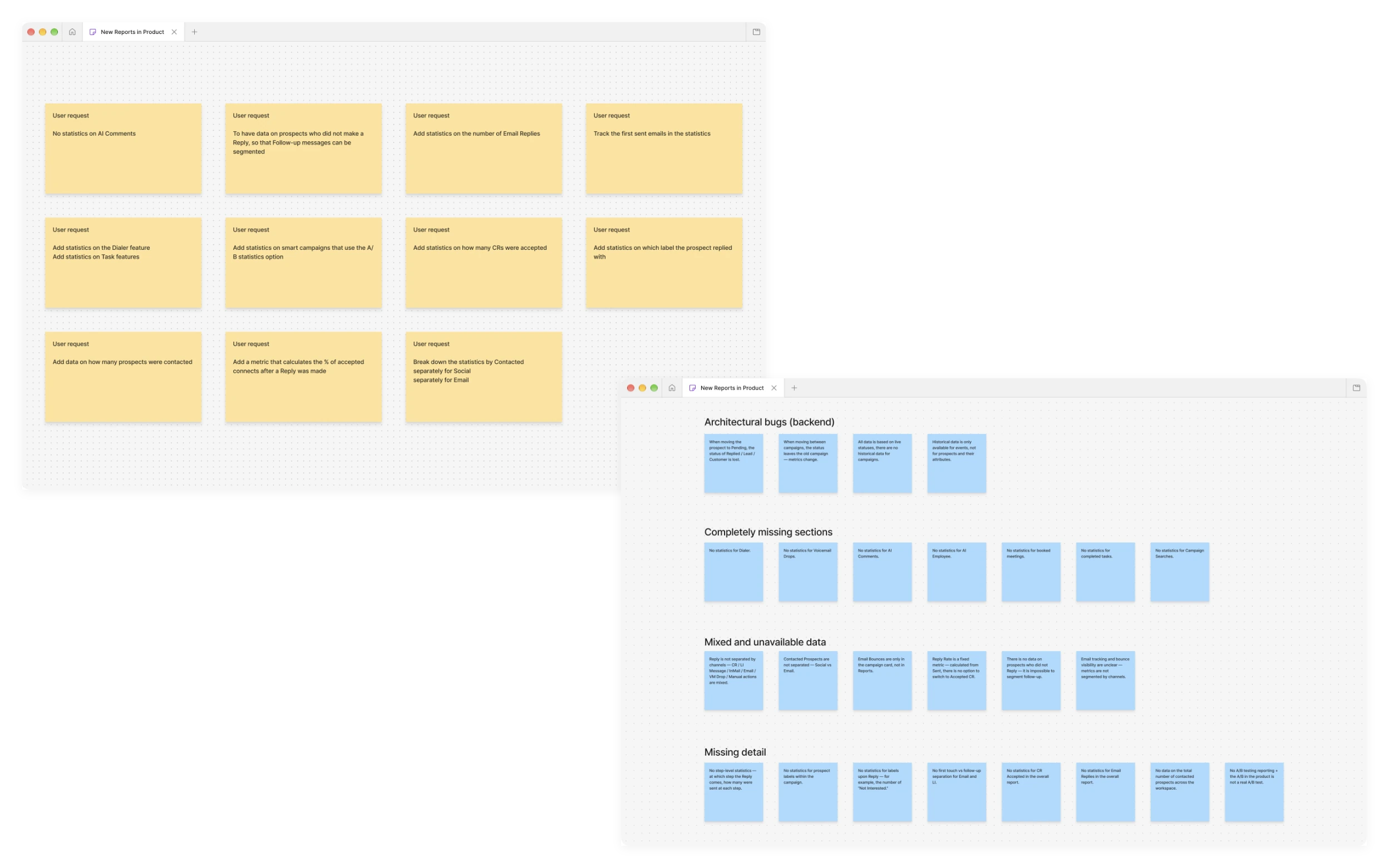
I started by going through our support tool, where users send requests to the team, and pulled out the pain points that kept coming up with reports. Then I moved to Canny, where users post feature requests, and picked out everything related to reports to work on.
After going through those internal tools, I put together a list of problems users run into when working with reports.
Impact & Effort Matrix
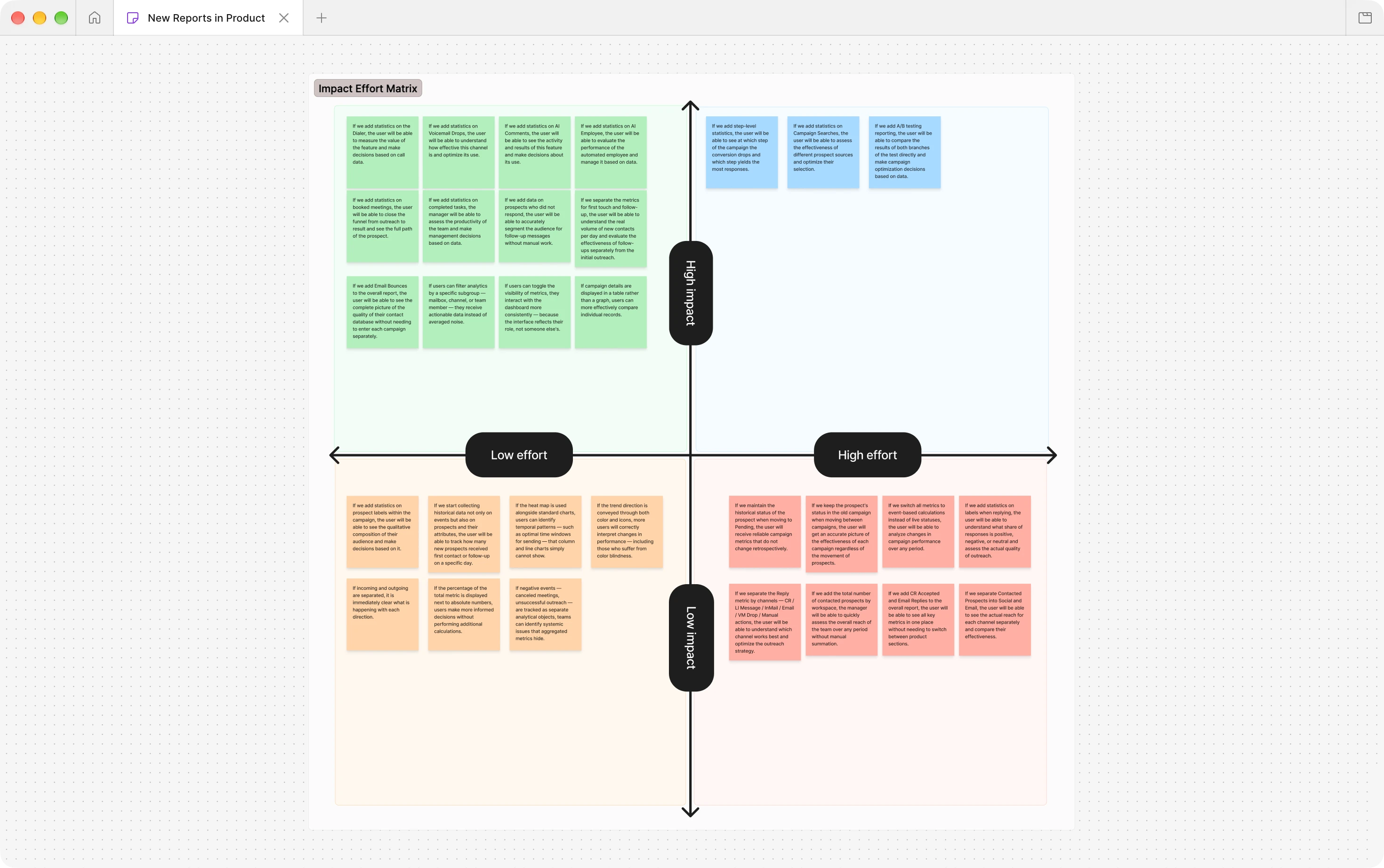
After going through the internal tools and putting together the list of problems, I set up a call with the Head of Product and two lead developers to prioritize them by value and effort. I mapped the problems using an Impact/Effort matrix.
Competitor Analysis
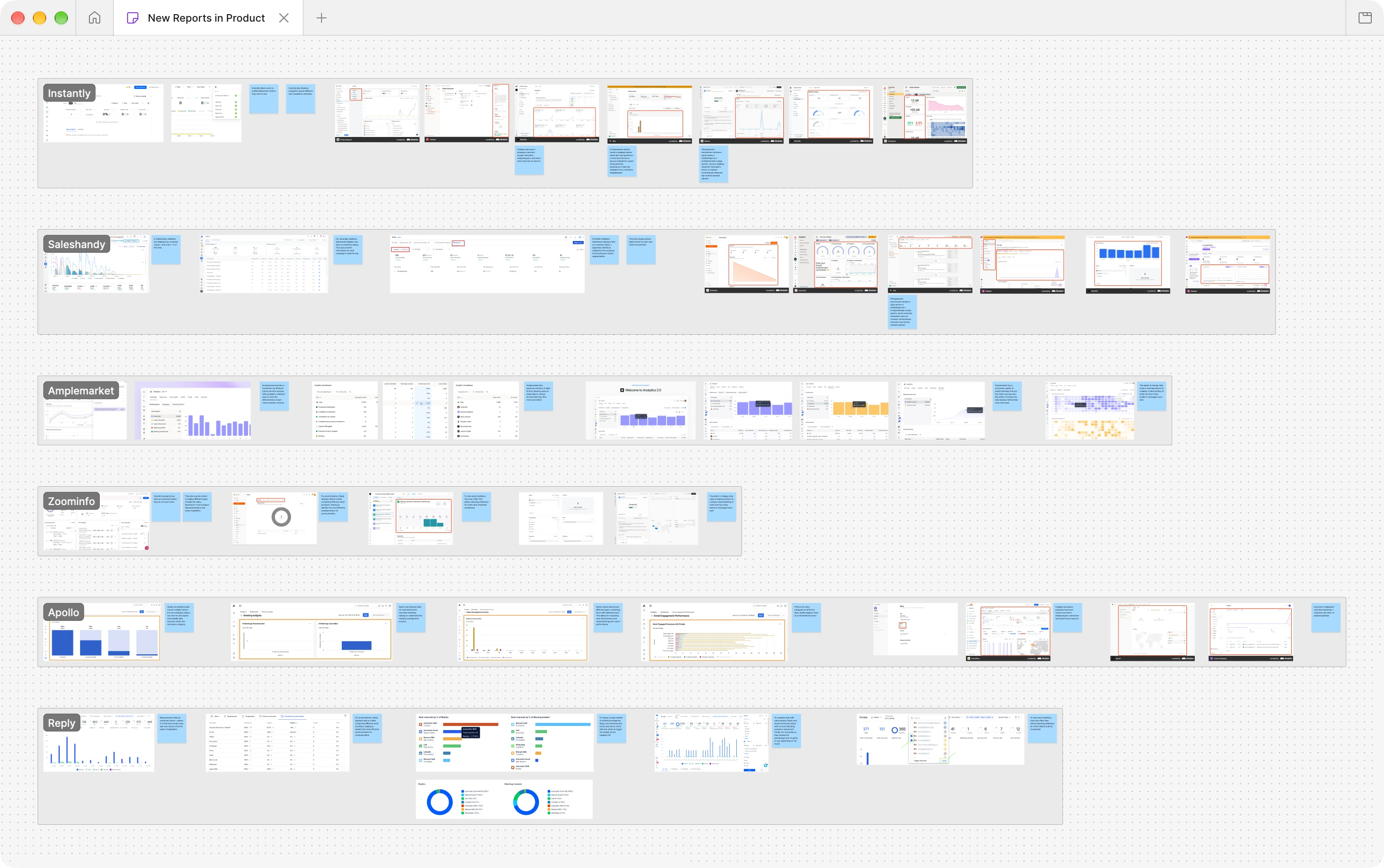
For the competitor analysis, I looked at business process automation and multichannel outreach tools. This let me see how competitors had built different features, pick up new ideas and hypotheses, and get a general sense of where the market stood.
Hypotheses & Prioritisation
Based on the analysis, I wrote a set of hypotheses to test:
- Hypothesis #1If navigation is built around channels instead of features, users can find their way through multi-channel workflows faster.
- Hypothesis #2If trend direction is shown with both color and icons, more users read performance changes correctly.
- Hypothesis #3If the percentage of the total is shown next to the absolute numbers, users can make better decisions without doing extra math.
- Hypothesis #4If company details are shown in a table instead of a chart, users can compare companies more easily.
- Hypothesis #5If users can filter analytics by a subgroup, such as a mailbox, channel, or team member, they get useful data instead of averaged noise.
- Hypothesis #6If a heatmap is used together with standard charts, users can spot time patterns, such as the best time windows for sending, that bar and line charts don't show.
After that, I set up a meeting with the PM and the founders and walked them through the full research process. Together with the team, we agreed on the scope of work I would deliver for the first version of reports.
Design Solutions
Once the MVP scope was set, I started designing the reports for web. I built each page step by step, and each one went through a full cycle of discovery, research, and design work.
After many iterations and discussions with the team, I presented the final solution to the founders and the Head of Product. Here is what we ended up with:
Overview page
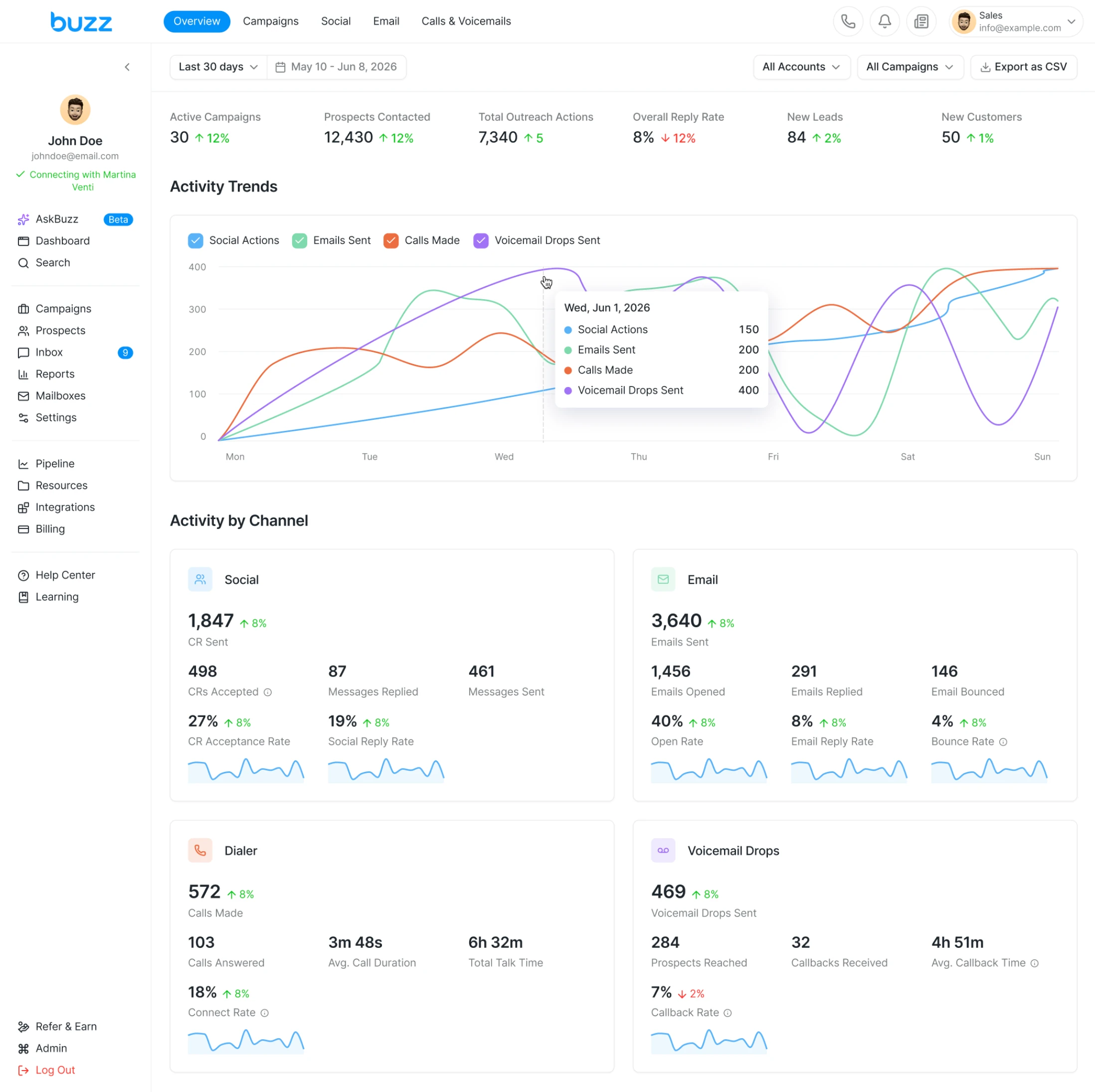
In the old reports, all the data appeared at once in one large block, so users often couldn’t tell where to look for the category they needed.
The Overview page puts all four outreach channels on one screen. The top shows funnel totals, the middle shows trends over time, and the bottom breaks down each channel.
You can see how many actions were sent, which channel gets replies, and where results are dropping, all without opening separate sections.
Campaigns page
In the old reports, campaign data sat together with the main charts, so it was hard to find the numbers for a single campaign.
The Campaigns page separates the two. The top shows campaign counts by status, plus a prospect funnel and a reply rate chart for all campaigns. Below is a list you can search and sort by any column.
Click a campaign and a side panel opens next to the list. It shows the same funnel and reply chart for that campaign only, so you can compare it with the overall numbers. The list stays in view, so you can switch campaigns in one click.
The expand button turns the panel into a full page and adds two charts: Conversion Rate over time and Time to Reply, which shows how long prospects take to answer.
Compare campaigns
The product had no way to compare campaigns side by side.
Select campaigns in the list and a comparison page opens. Each campaign gets its own column with the same blocks: prospects, time to reply, reply rate, funnel and prospect statuses. Below the columns, one chart shows reply rate for all selected campaigns.
You can swap, reorder or remove a campaign without leaving the page.
Social page
Social results used to be part of the general reports, and LinkedIn had no page of its own.
The Social page shows all LinkedIn outreach in one place, in the same order as the outreach itself: connection requests, messages, then engagement actions. The top row has the key numbers. The sections below split them by message type, so you can see which formats get accepted and which get replies. Manual and AI messages are compared next to each other.
Email page
Email results used to be part of the general reports, so you couldn’t see how each mailbox was doing.
The Email page shows delivery, engagement and mailbox health in one place. The top row has four key numbers. The sections below follow the path of an email: delivery and message types, then opens, replies and clicks, then results for each mailbox. At the bottom, Deliverability Health covers spam complaints, unsubscribes, bounce types and a mailbox health score, so you can notice problems before they hurt results.
Calls & Voicemails page
Calls and voicemails had no statistics at all, and users kept asking for them.
The new page has two sections. Dialer shows how many calls connected and how they ended. A heatmap shows the best days and hours to call. Voicemail Drops tracks how many prospects called back and how those callbacks ended. Two top 5 tables show which voicemails and phone numbers get the best callback rate.
Results
Users loved the feature after release. Many had been waiting for it for a long time.
Most anticipated feature
based on users feedback after release
I don’t have measurable results to share, because the product has no analytics system yet. Here is what I would measure if it did:
CSAT for reports page
I would use CSAT to see if users like the new page and find the data clearer.
Customer Effort Score
I would use CES to measure how easy it is to read the data and compare channels.
Task Success Rate
I would track how many users complete key tasks, such as finding data on a new feature.