Dialer for calls directly from platform
Role
Product Designer
Duration
June - July 2023
Context
Buzz helps businesses automate their LinkedIn accounts through both automated and manual campaigns. Users can set up a sequence of steps that the campaign will execute automatically.
What’s the value?
Problem
Sales managers often need to make calls to attract potential clients to purchase their product. Since clients are located in different countries, managers need to call other countries at a reasonable cost and without a separate tool.
Hypothesis
If users could call any country from inside Buzz, sales managers would keep calls, recordings, and history in one place instead of a separate tool.
My role
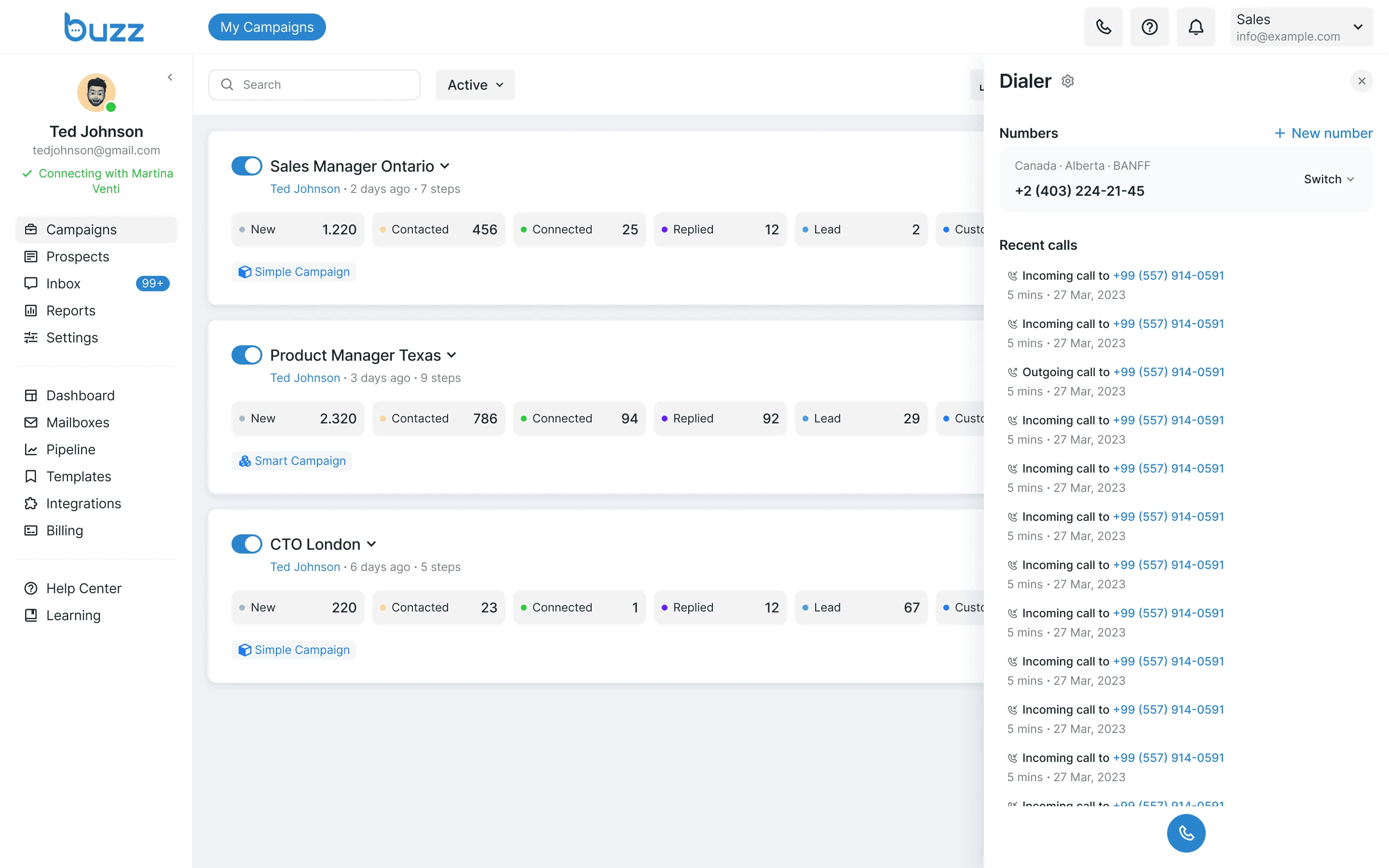
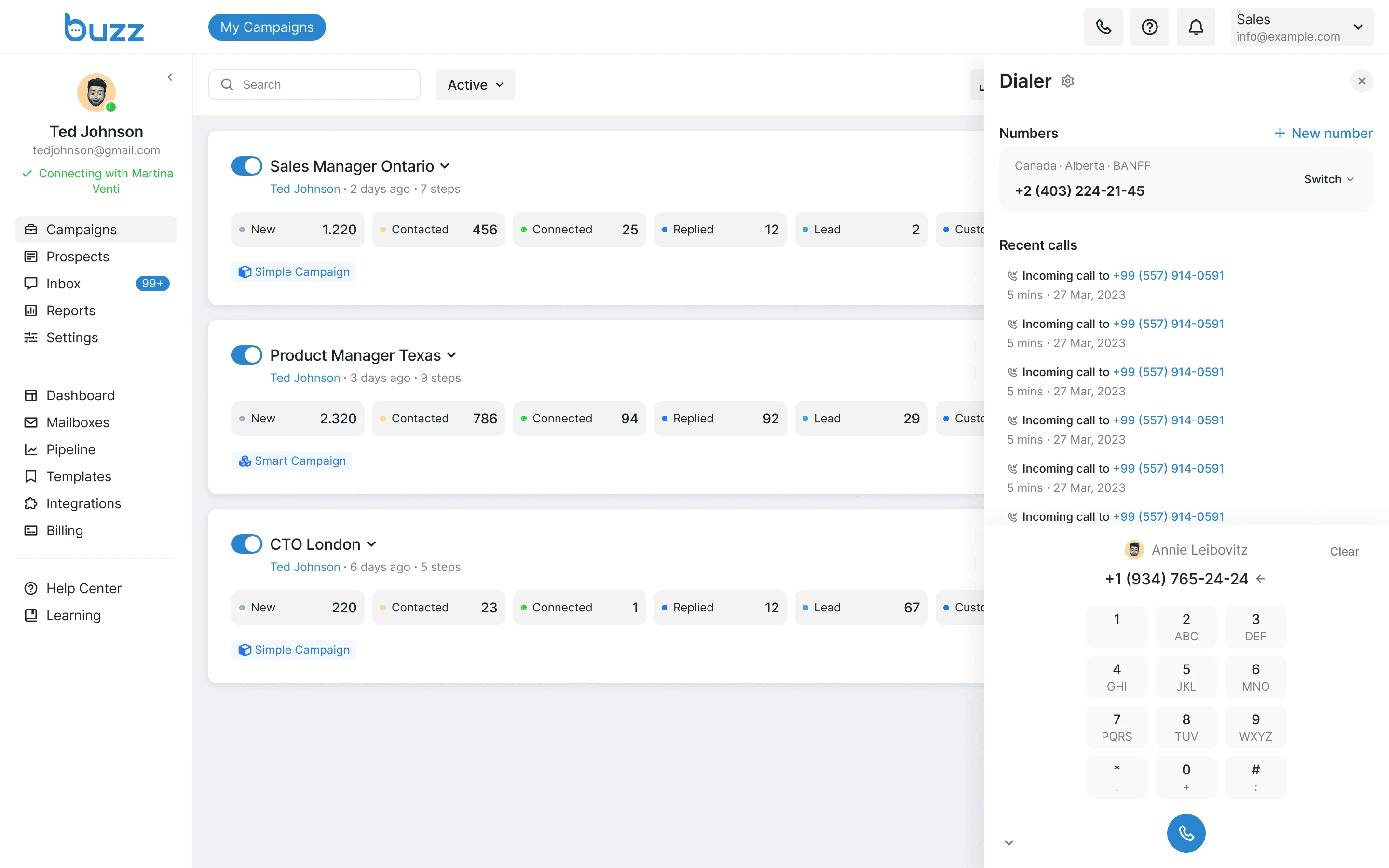
Call History Panel
Users can start a call from any page in the product. The panel also keeps the full call history.
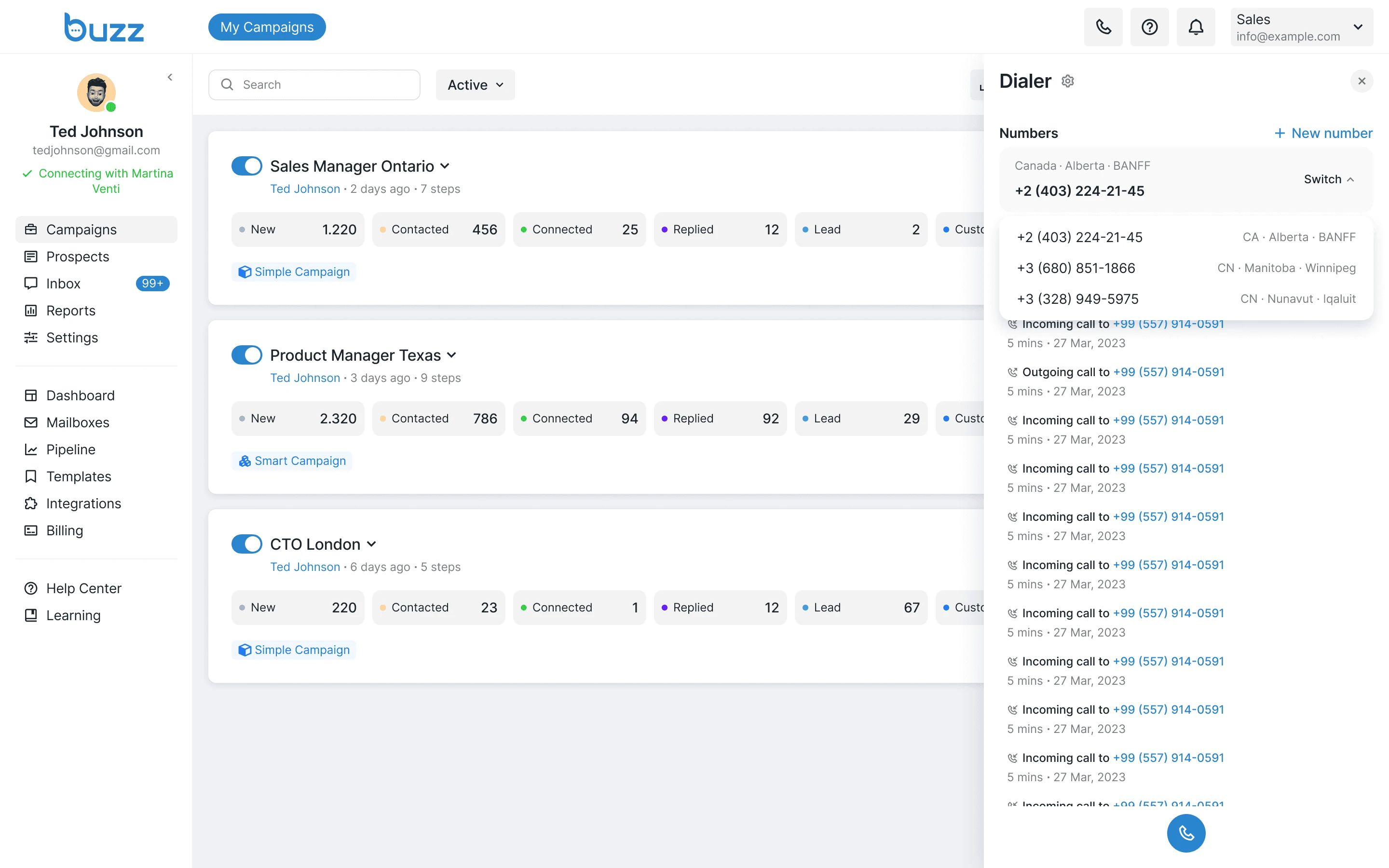
Number Selection
From this panel, users can choose the number from which the call will be made, and view the call history for the selected number. This helps quickly decide which number to use to make the call cost-effective for the user.
Number Input
From this panel, users can enter the phone number they want to call. If the number exists in the user database and is entered below, the system will identify the client and display their name and surname next to the number.
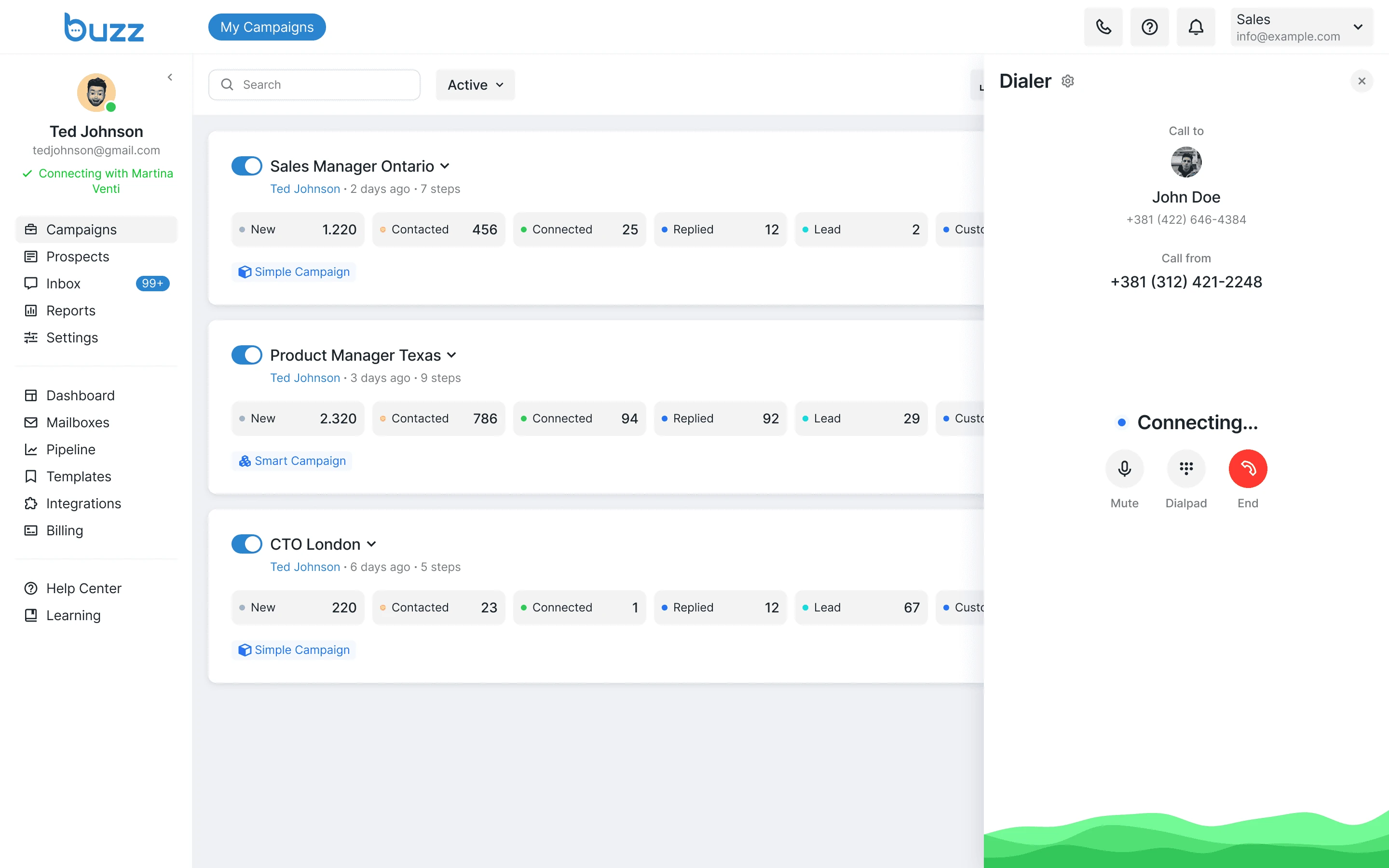
Call Process
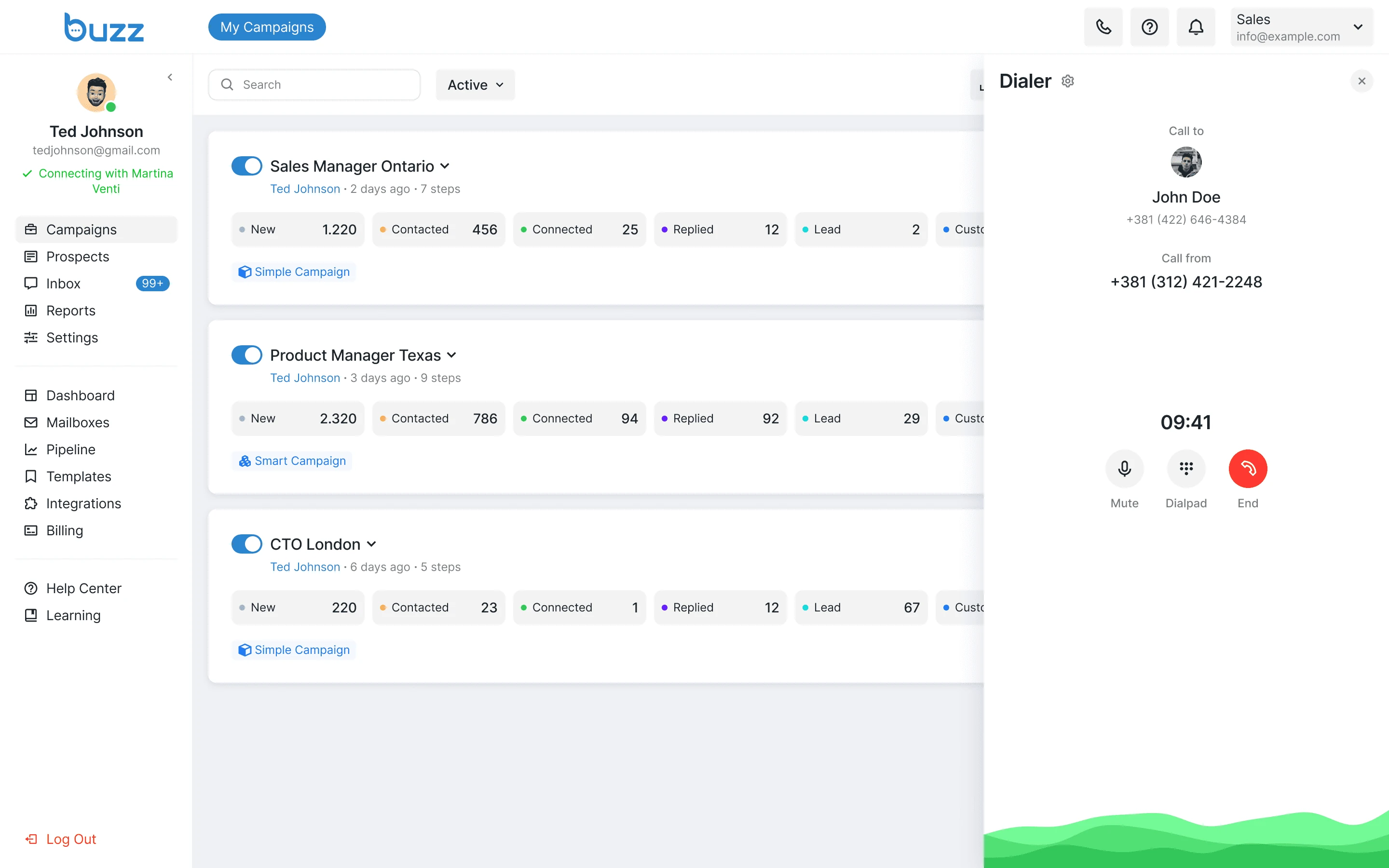
During the call, the panel displays the numbers of both the caller and the recipient. Pulsing circles and waves at the bottom show that the call is active.
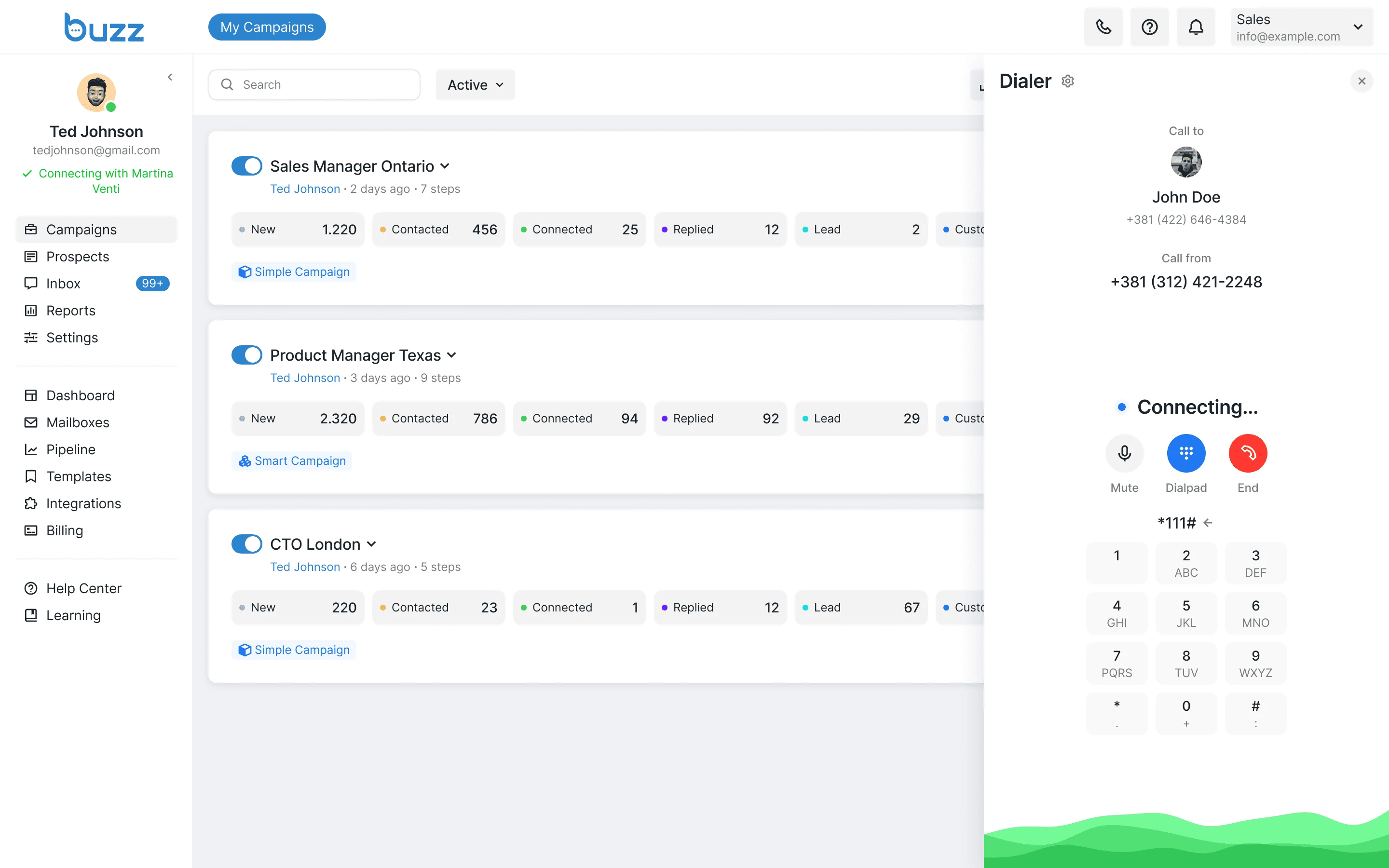
Dialpad Option
If the user needs to enter digits or special symbols during a call, there's an option to open the dialpad where all these inputs are available. This is useful in scenarios when the user calls a number with an automated system that requires pressing a specific key or symbol to continue the call.
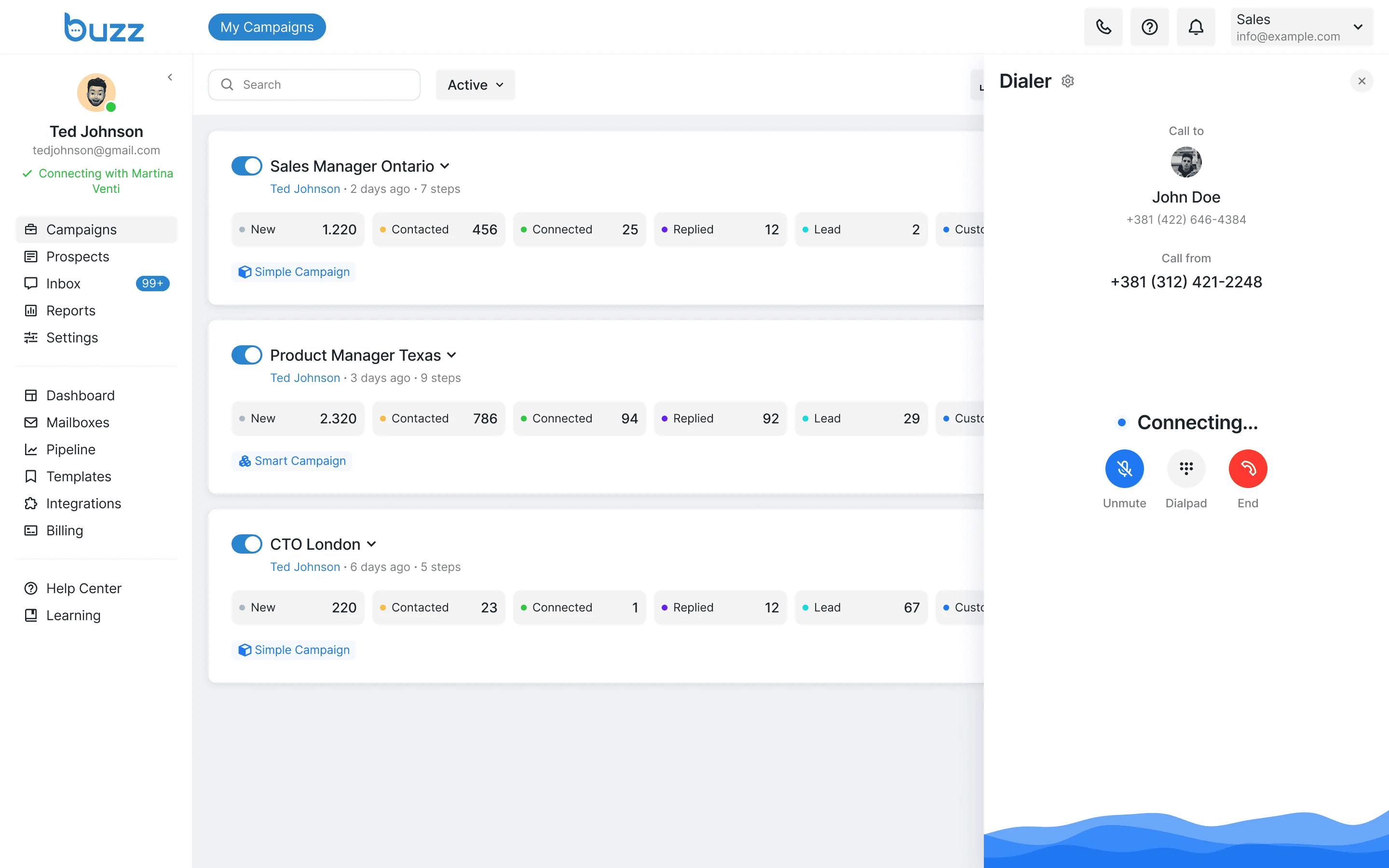
Muted Microphone
If the microphone is turned off during a call, the color of the wave animation and buttons changes to clearly indicate to the user that the microphone is muted.
Call in Progress
When the user successfully connects with a client, a timer starts displaying the call duration to show how much time was spent on the conversation.
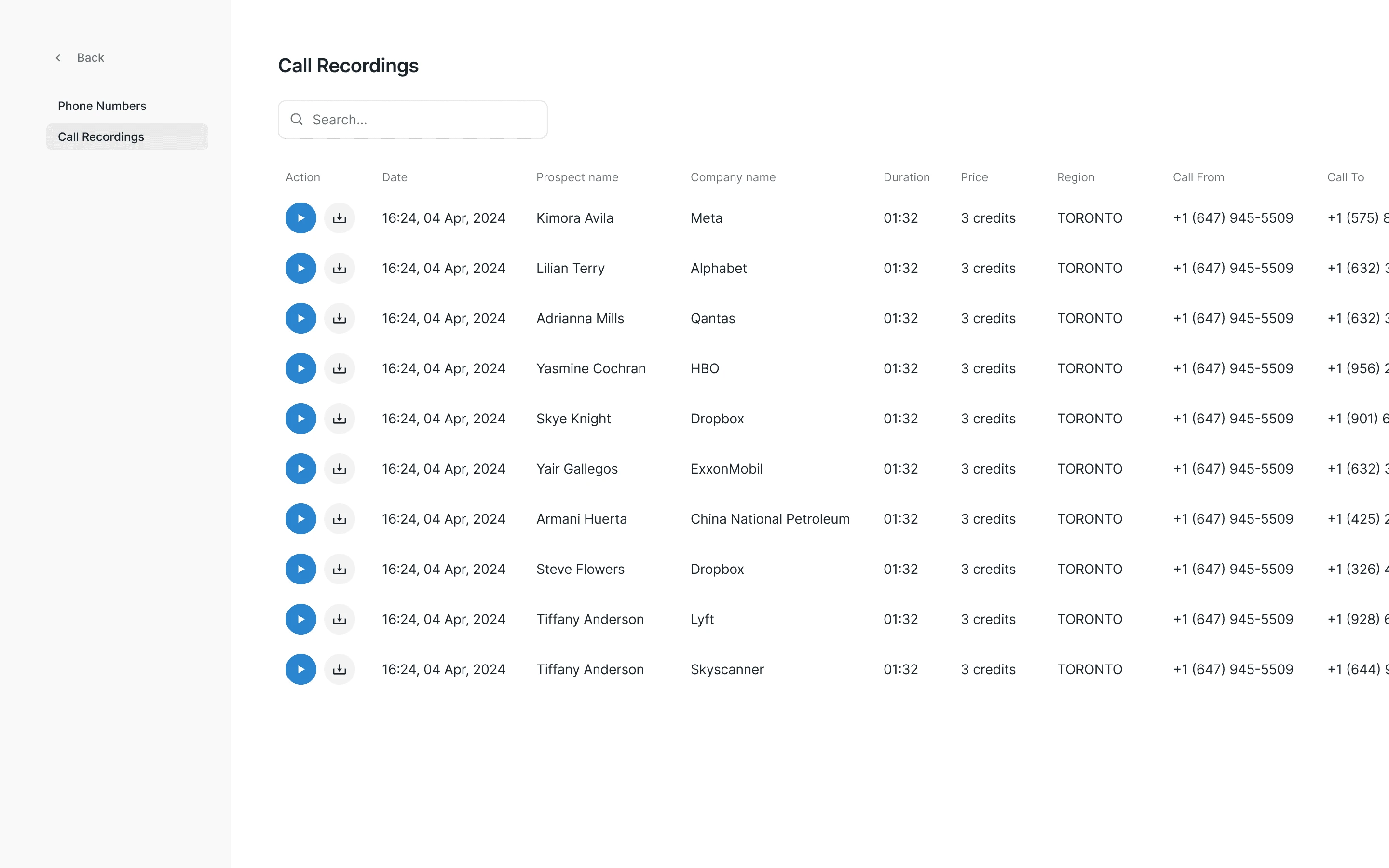
Call Recording Playback
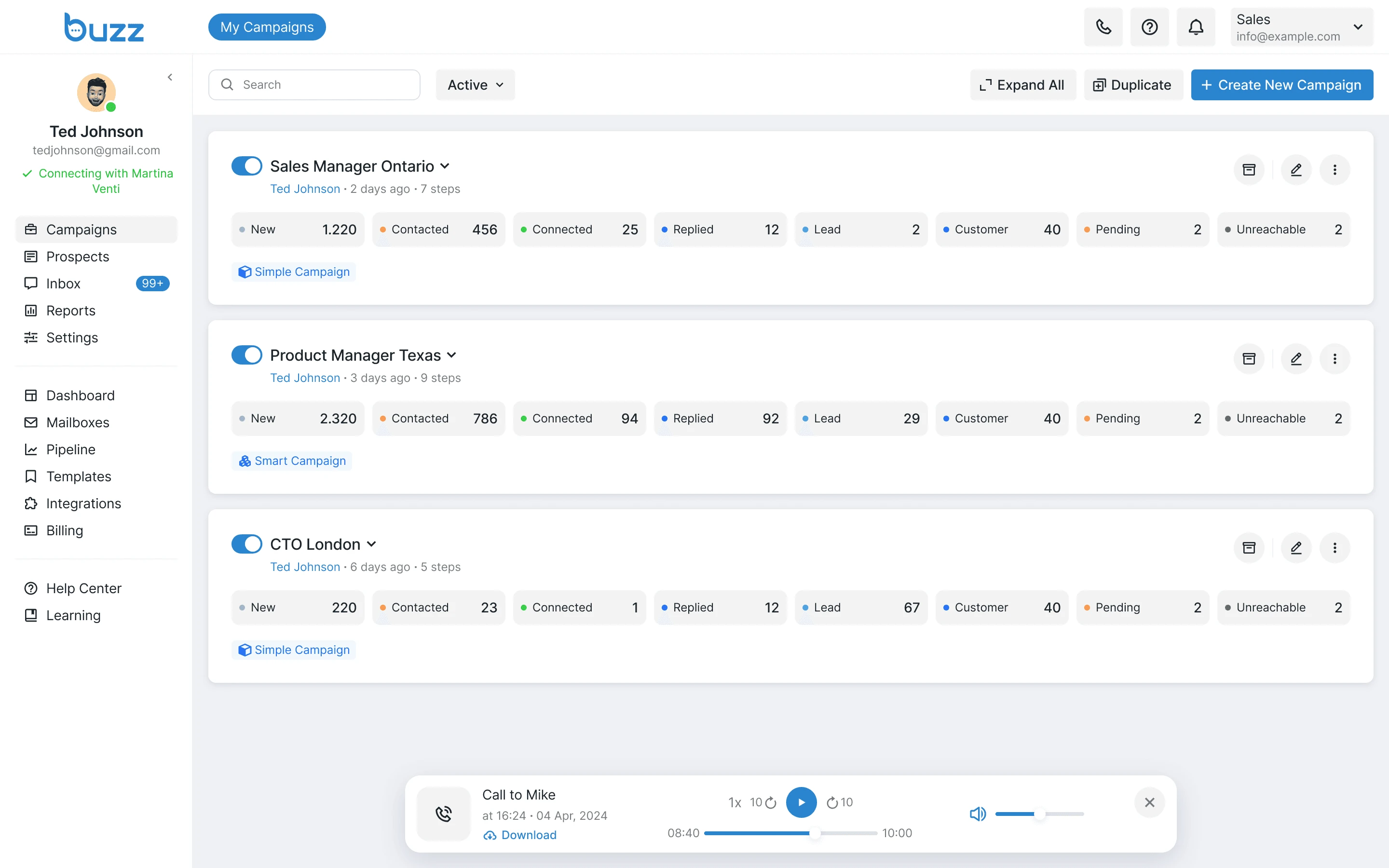
I added a built-in player for call recordings. Playback continues while the user moves around the platform.
Phone Number Management
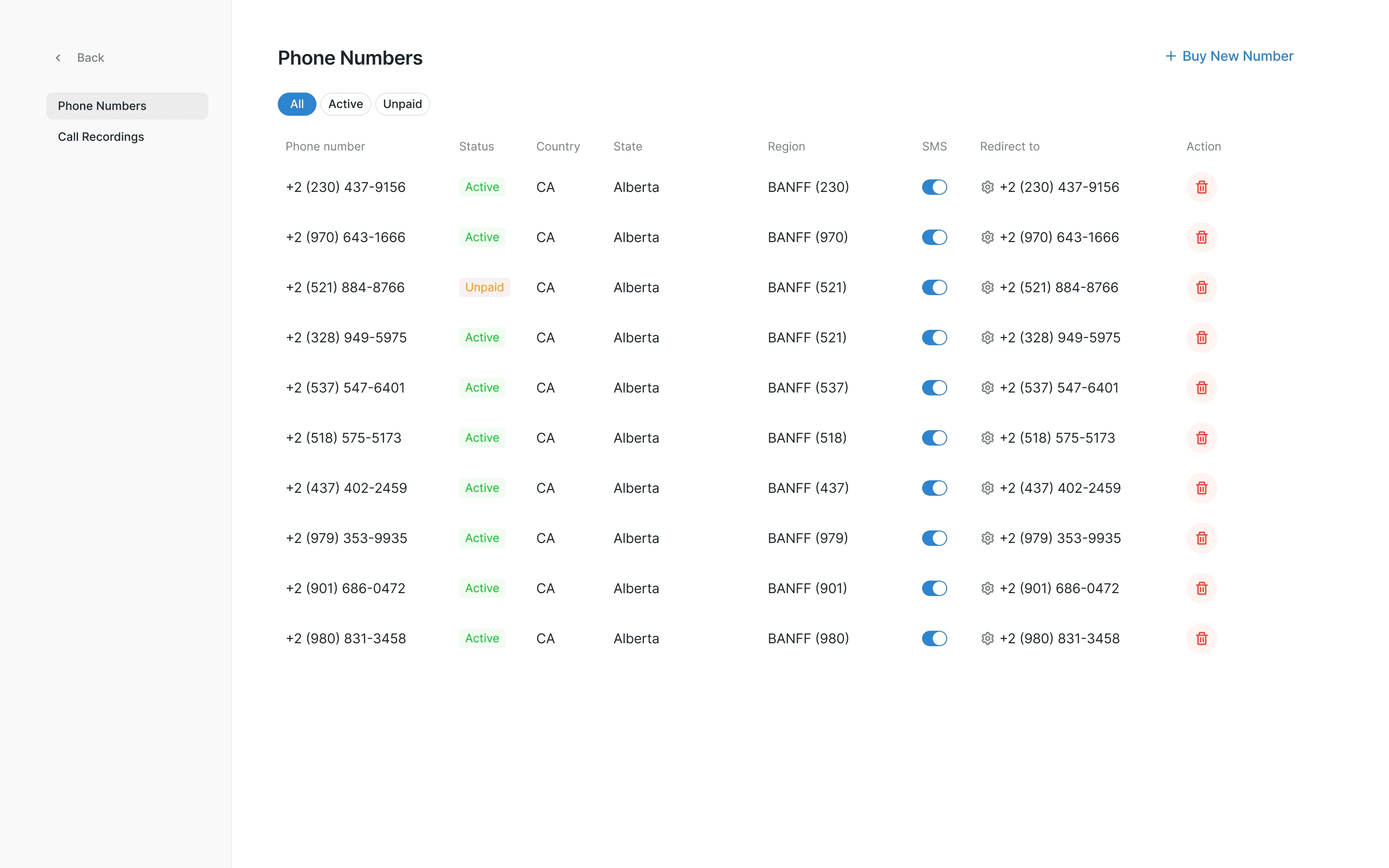
I designed a panel for managing purchased numbers. Users can also forward calls to a real phone and stay reachable outside the platform. This helps users stay in touch with their clients even when they're not actively using the platform.
Call Recordings
Each call is automatically recorded so that users can replay it to review specific details or share it with others by downloading the recording directly from the platform.