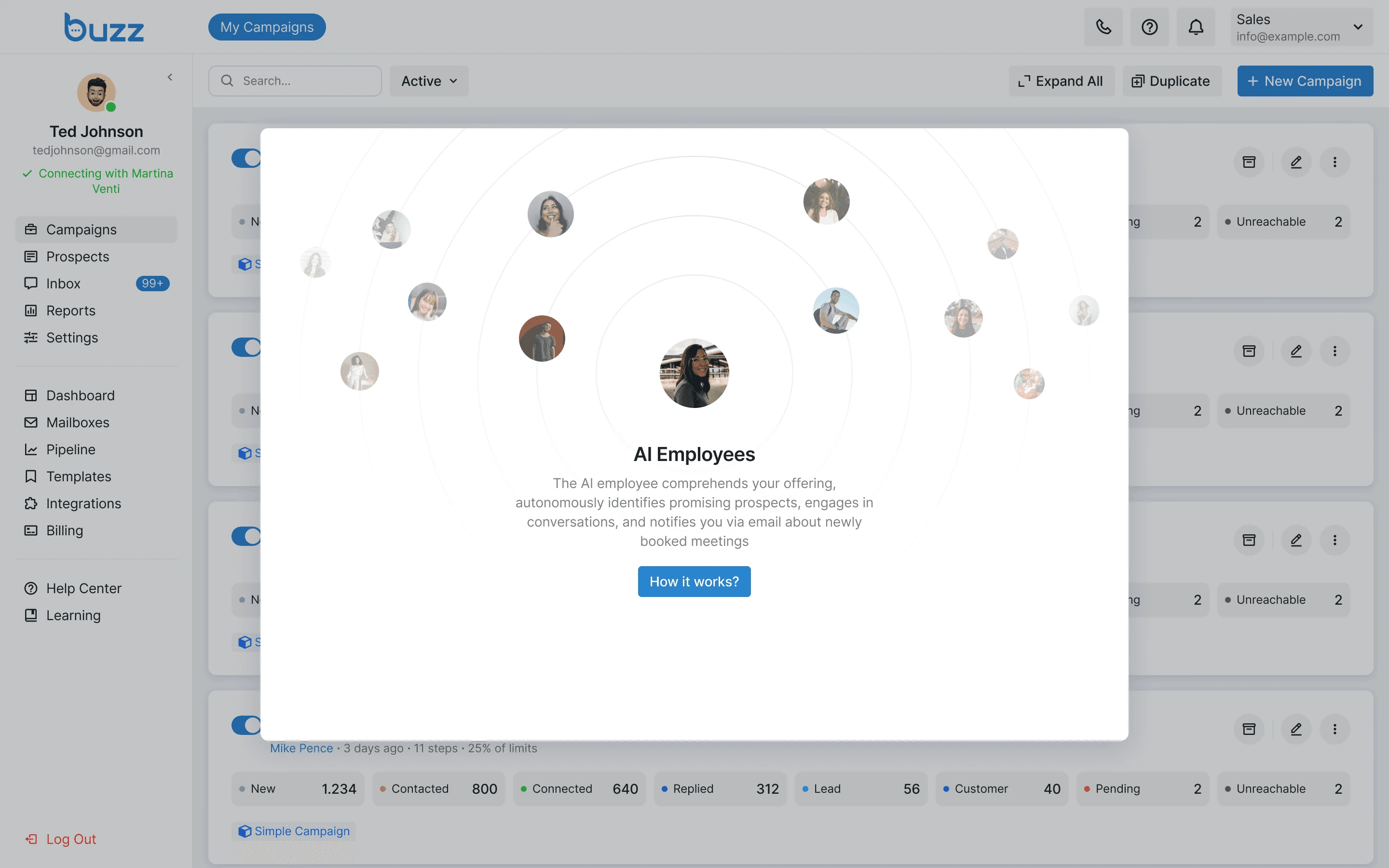
AI Employees Integration
Role
Product Designer
Duration
Dec 2023 - Jan 2024
Company
Buzz is a B2B SaaS platform for sales outreach automation. It helps businesses run campaigns across LinkedIn, email, and calls to reach potential customers at scale.
Problem
Users often forget to add new LinkedIn profiles to their campaigns. When the list runs out, the campaign stops.
Why is this a problem?
When a campaign stops, users lose touch with prospects while those prospects are still interested. It directly affects their ability to attract new customers.
My Role
I was the solo designer on this project and owned the whole process. I worked with the CEO to figure out what we actually needed to build, talked through implementation details with developers, and reviewed everything on staging before it went live.
Hypothesis
If the platform could find and add new profiles automatically, campaigns would not stop because the list ran out.
That led to a bigger idea: an AI Employee that keeps the campaign running, replies to prospects, and books calls.
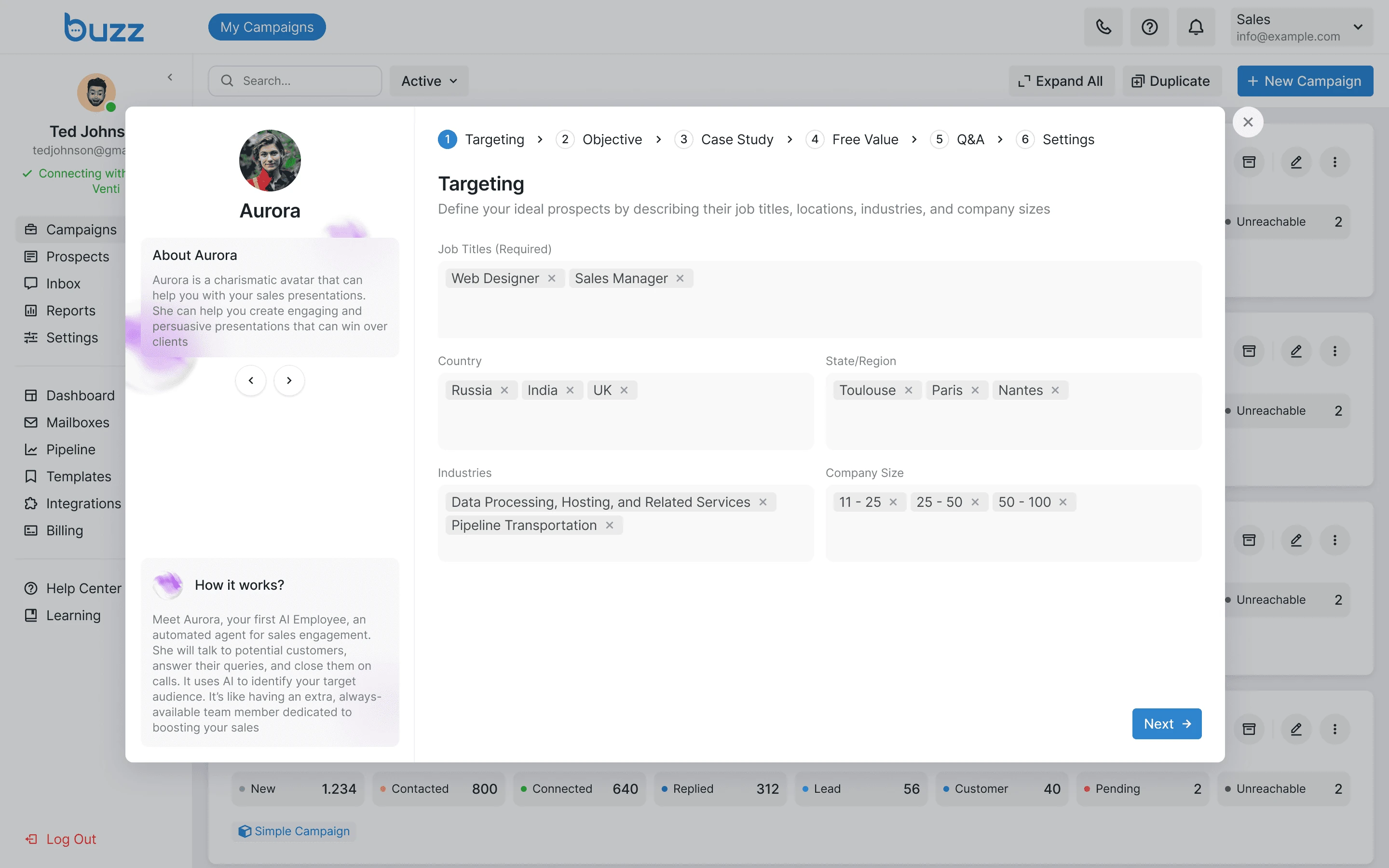
Targeting Setup
Users start by telling the AI Employee who to look for. They can filter by job title, location, industry, and company size so the right prospects end up in the campaign.
Objective Setup
The Objective step is where the user tells the AI Employee what the campaign is trying to achieve. This gives the AI the context it needs to write messages that fit the campaign.
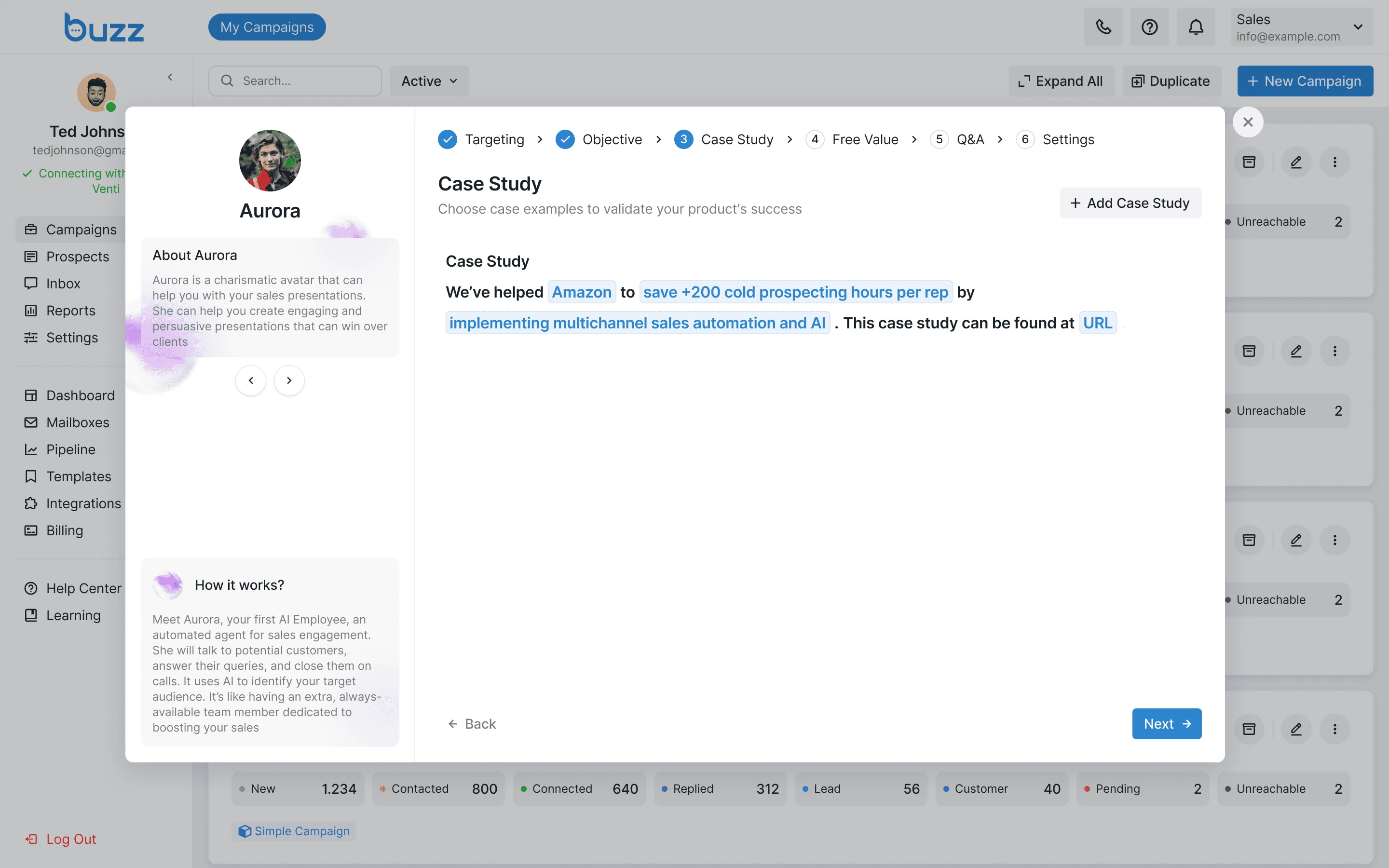
Case Study Setup
The Case Study step lets users add real examples of their work. The AI Employee uses these examples in the conversation.
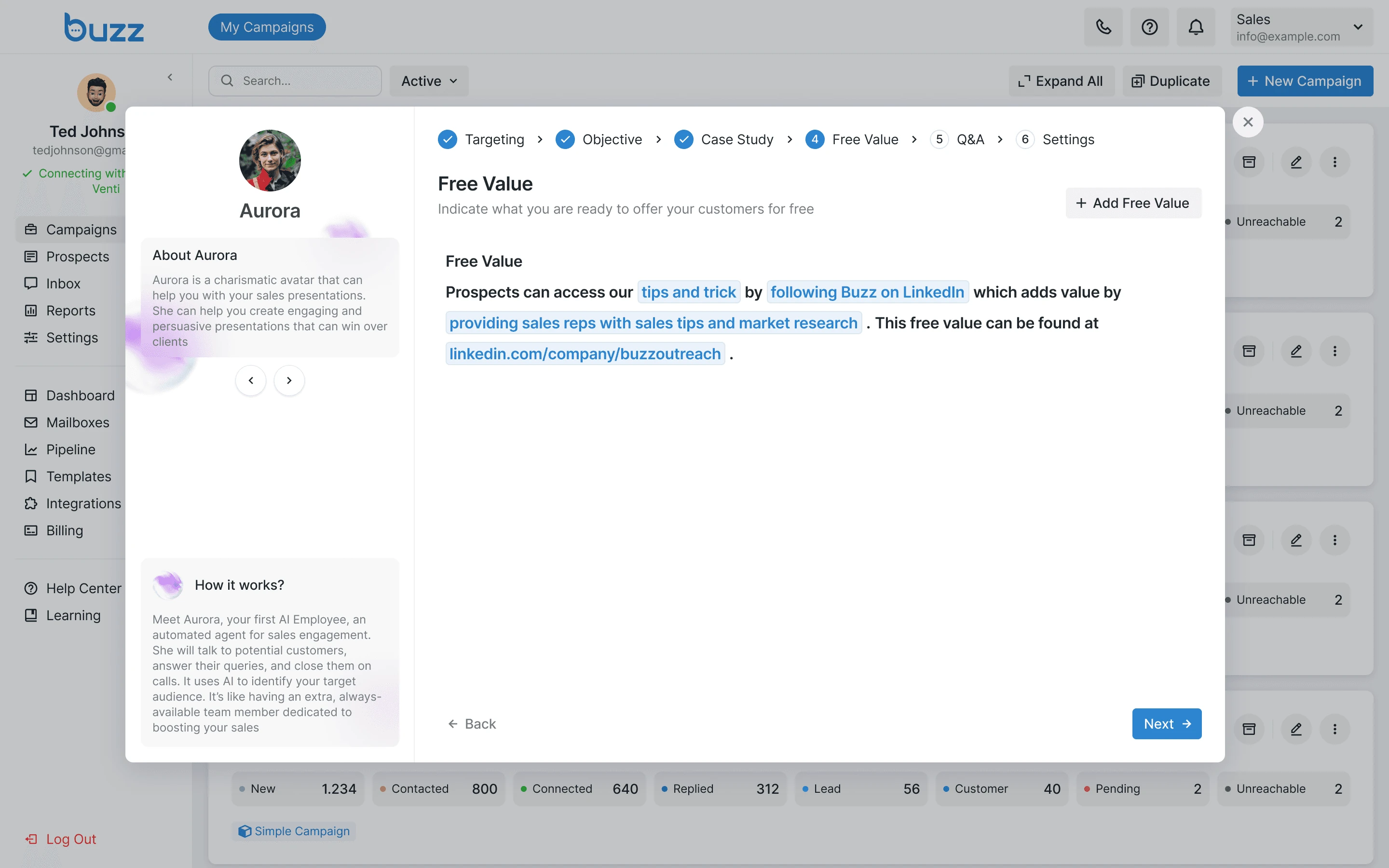
Free Value Setup
The Free Value step is where users describe what they can offer prospects for free. The AI Employee leads with this offer in the first message.
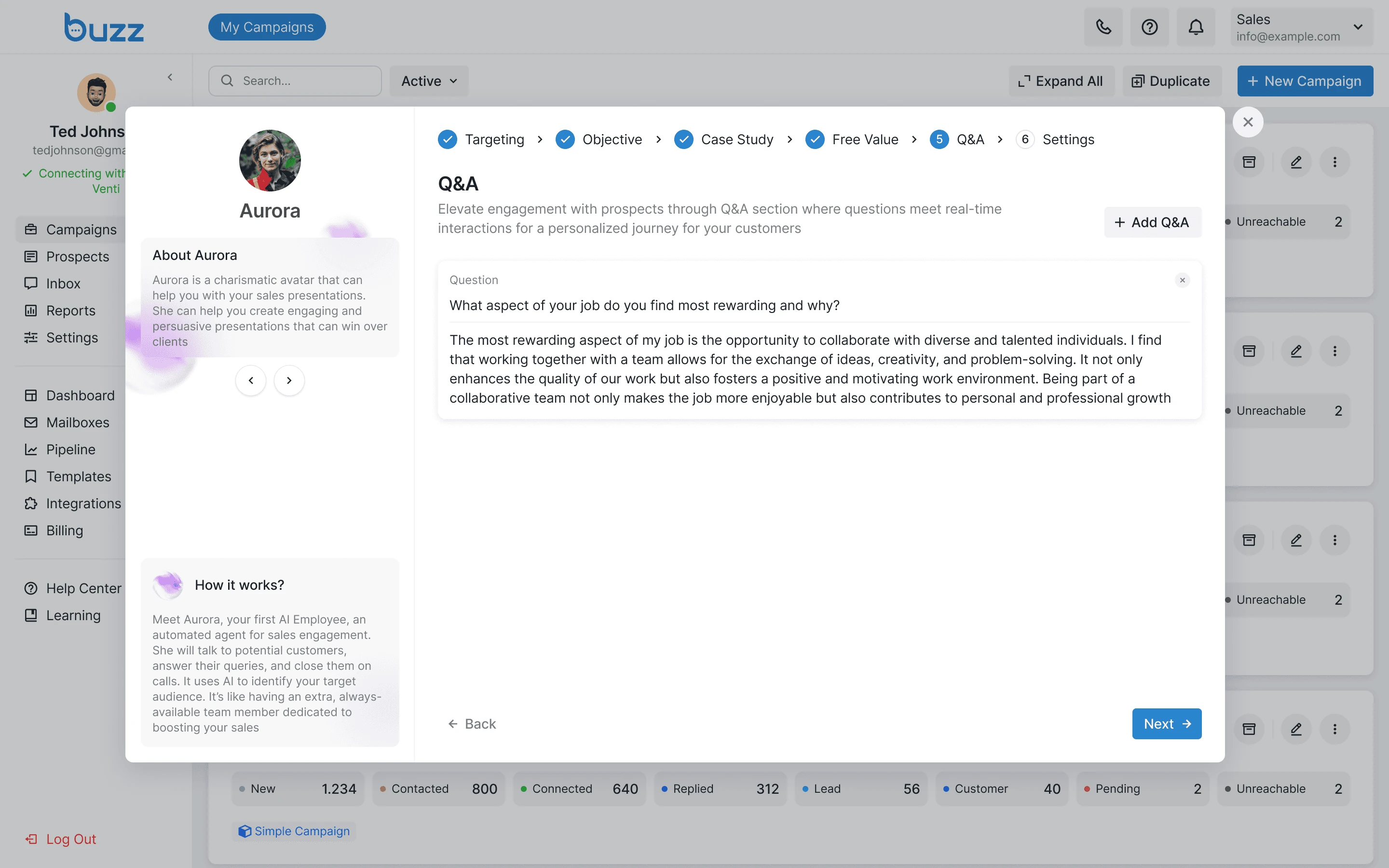
Q&A Setup
The Q&A step lets users prepare answers to questions that prospects might ask. The AI Employee uses these answers automatically during conversations.
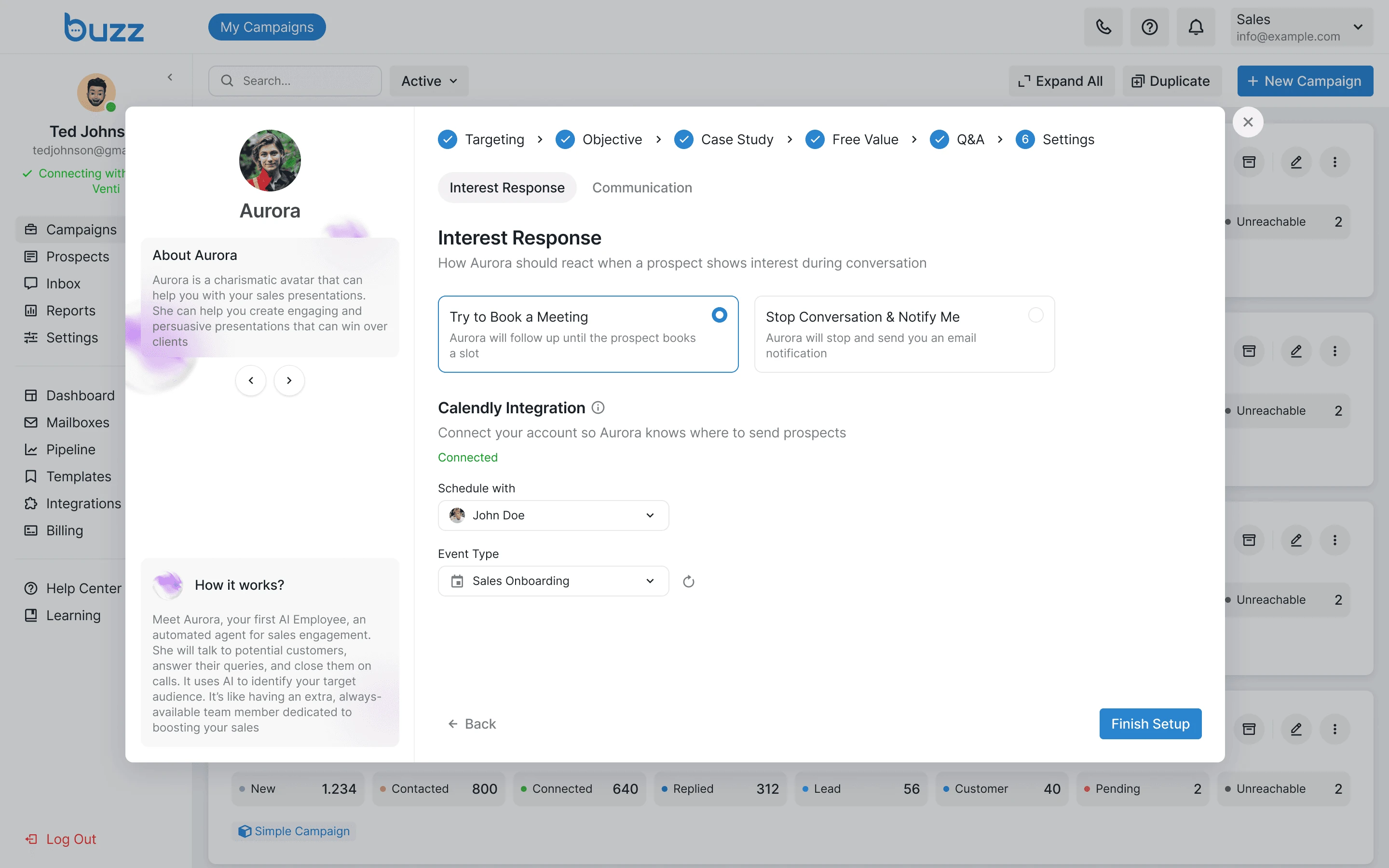
Interest response
The Settings step lets users decide how far the AI Employee goes on its own. It can automatically book a meeting or stop and notify the user when a prospect shows interest.
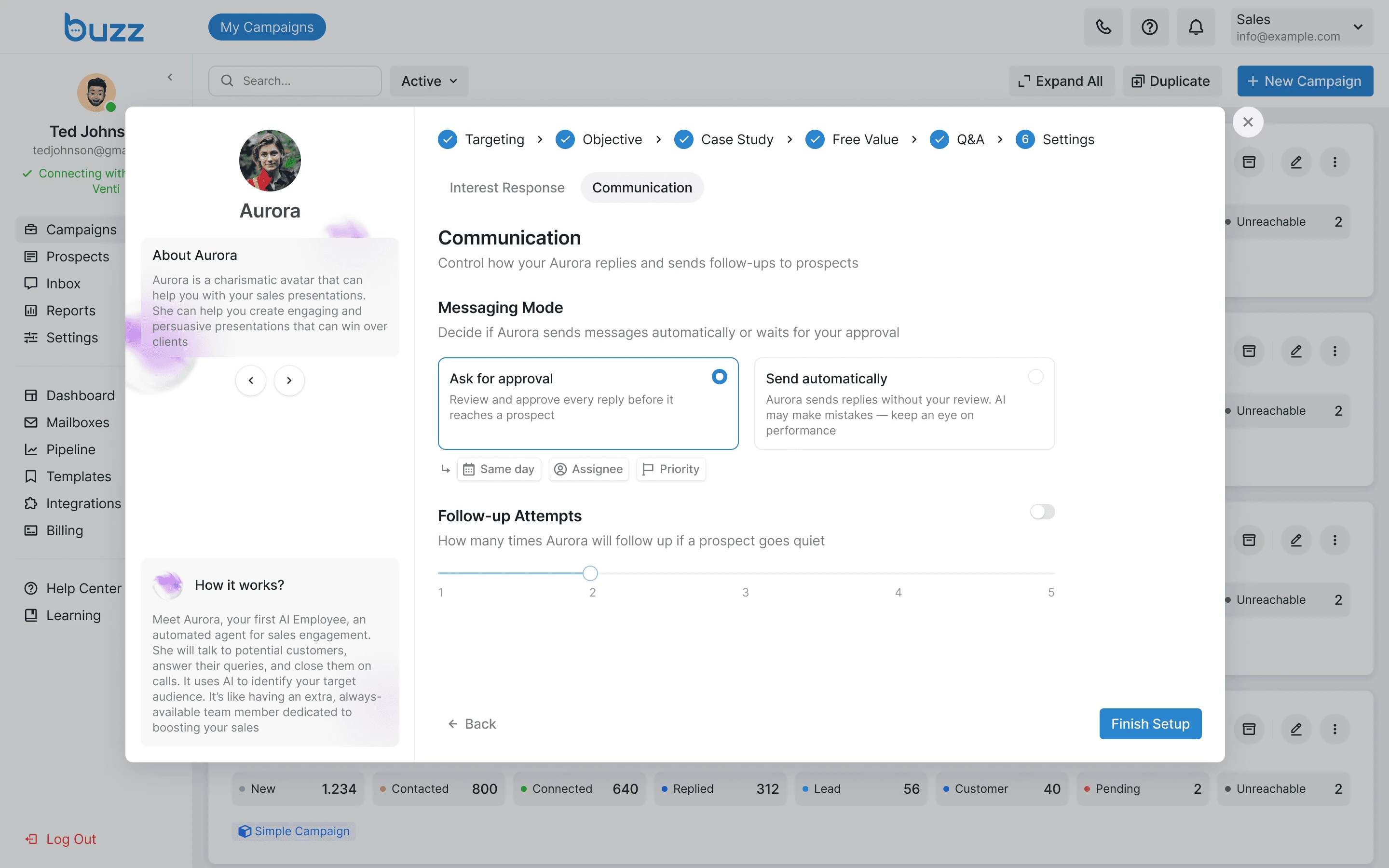
Communication
Users choose how the AI Employee handles messages: approve each reply manually or let it send automatically. They can also set how many follow-ups to send if a prospect goes quiet.
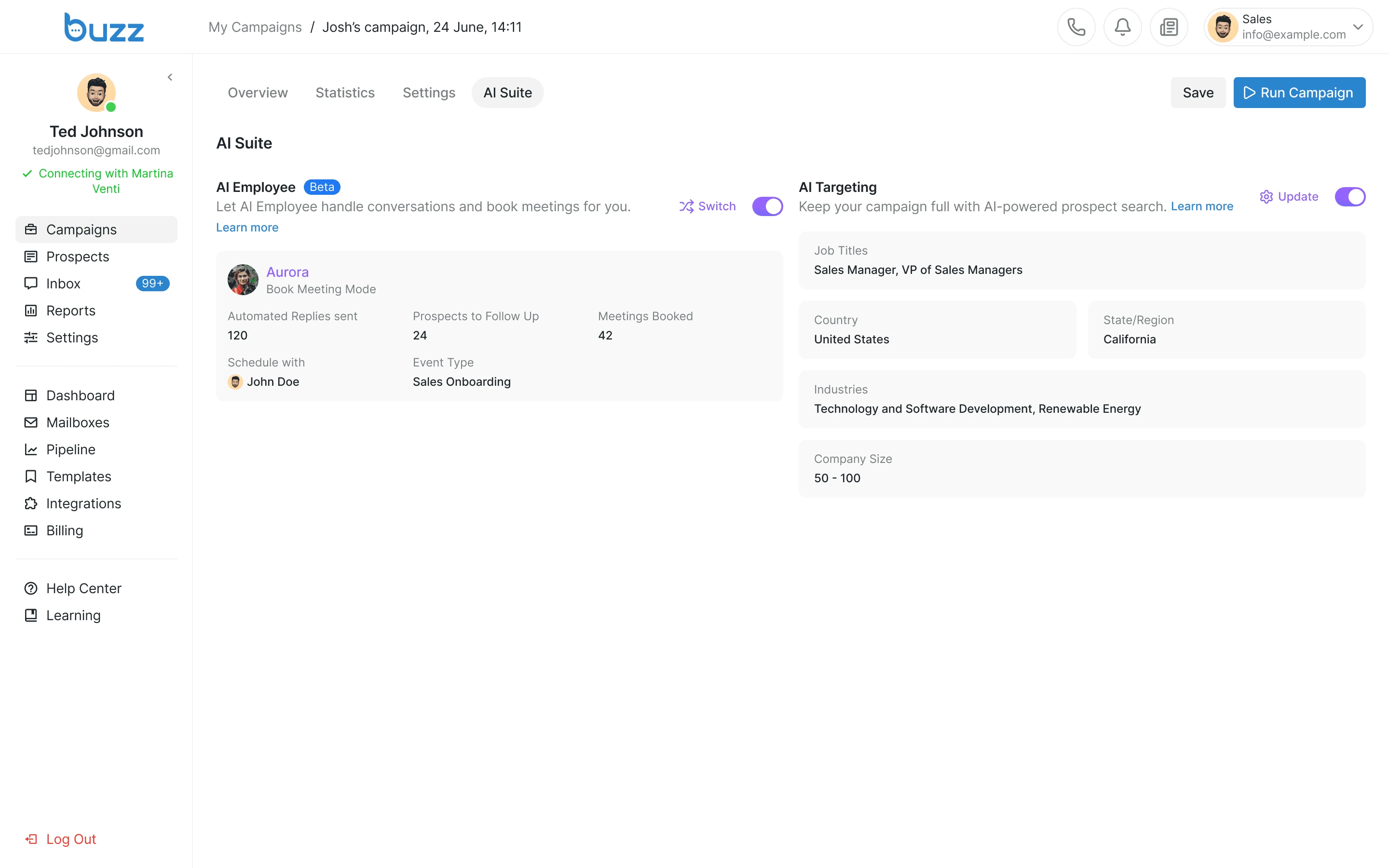
AI Employee in Campaign Settings
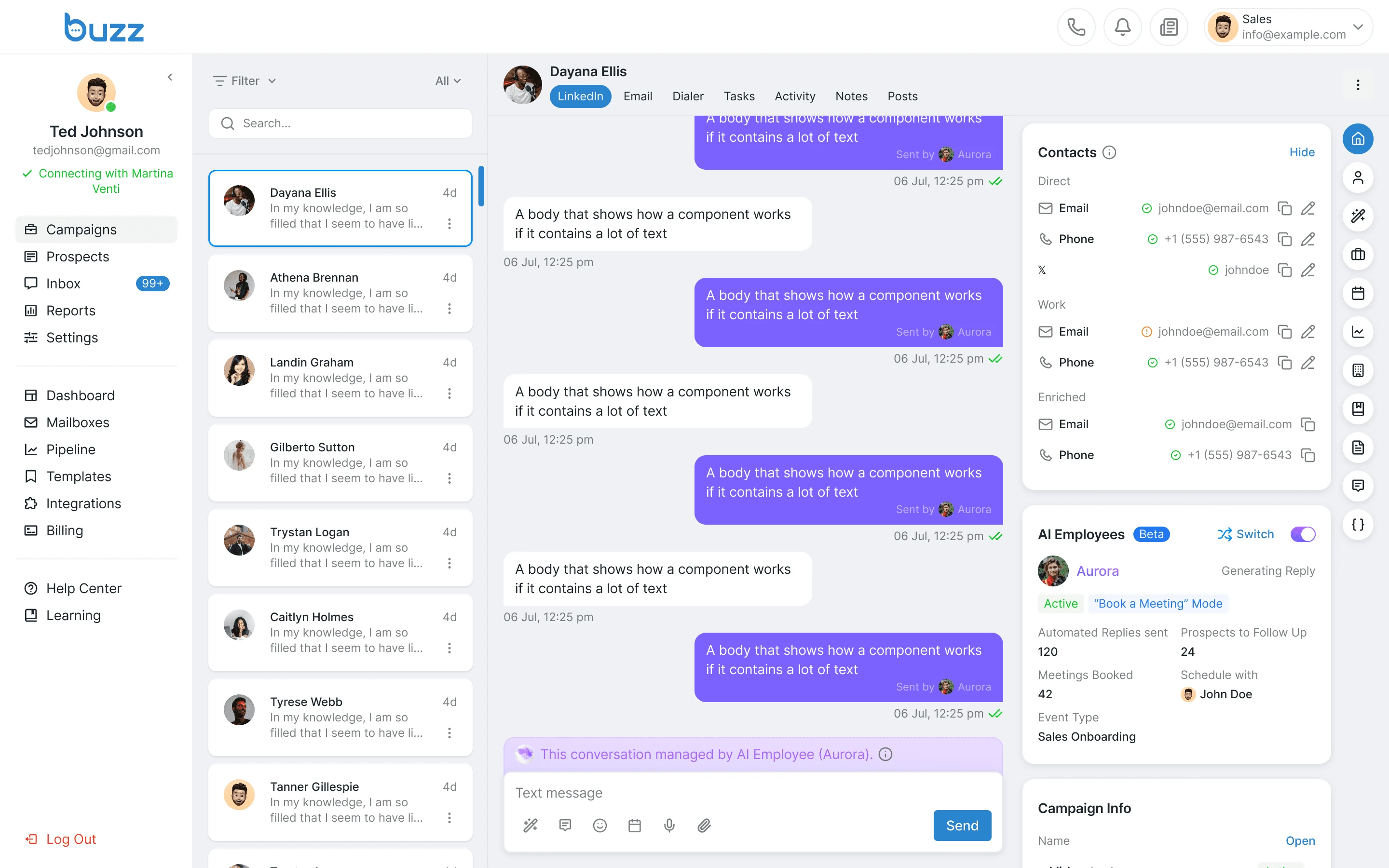
The AI Suite tab is where users assign an AI Employee to the campaign and track its performance in real time.
Dialog with prospect in inbox
The Inbox shows AI-managed conversations in real time. Messages sent by the AI are marked, and the user can step into any conversation.
Results
Since we managed to design and demonstrate the feature quickly in a test environment, we retained a major client responsible for a large portion of our revenue. We also cut support requests by 40% in the first week after release, measured by support tickets before and after.